Of course! The term "HTML element" in Python most commonly refers to objects that represent parts of an HTML document. These objects are not built into the core Python language but are provided by powerful third-party libraries, primarily for web scraping and web automation.
The two most popular libraries for this are Beautiful Soup and lxml.
Let's break down what an HTMLElement is and how to work with it using these libraries.
What is an HTMLElement?
An HTMLElement is a Python object that acts as a representation of a single HTML tag and its contents. For example, for the HTML <p class="intro">Hello world!</p>, the HTMLElement object would know:
- Its tag name:
'p' - Its attributes:
{'class': 'intro'} - Its text content:
'Hello world!' - Its parent element: The
<body>tag, for instance. - Its children elements: Any tags nested inside it.
This object-oriented representation is what makes it so easy to navigate and search through an HTML document programmatically.
Beautiful Soup (bs4)
Beautiful Soup is a fantastic library for parsing HTML and XML documents. It creates a parse tree that you can easily search and modify. It's known for being very forgiving and easy to learn.
Installation
First, you need to install it. It's good practice to also install a parser like lxml as it's very fast.
pip install beautifulsoup4
pip install lxml
Example: Creating and Using an HTMLElement with Beautiful Soup
Let's parse a simple HTML string.
from bs4 import BeautifulSoup
# 1. Your HTML content (as a string or from a file)
html_doc = """
<html>
<head>A Simple Page</title>
</head>
<body>
    <h1 id="main-heading">Welcome to the Page</h1>
    <p class="intro">This is the first paragraph.</p>
    <p class="intro">This is the second paragraph, with a <a href="https://example.com">link</a>.</p>
    <div class="content">
        <ul>
            <li>Item 1</li>
            <li>Item 2</li>
        </ul>
    </div>
</body>
</html>
"""
# 2. Create a BeautifulSoup object. The second argument is the parser.
# 'lxml' is fast and recommended. 'html.parser' is built-in.
soup = BeautifulSoup(html_doc, 'lxml')
# 3. Find the first <p> tag. This returns a Tag object (which is an HTMLElement).
first_paragraph = soup.find('p')
print(f"First Paragraph Tag: {first_paragraph}")
# Output: First Paragraph Tag: <p class="intro">This is the first paragraph.</p>
# 4. Access properties of the HTMLElement (Tag object)
print(f"Tag Name: {first_paragraph.name}")  # Output: Tag Name: p
print(f"Text Content: {first_paragraph.text}") # Output: Text Content: This is the first paragraph.
print(f"Attributes: {first_paragraph.attrs}") # Output: Attributes: {'class': ['intro']}
# Access a specific attribute
print(f"Class: {first_paragraph['class']}") # Output: Class: ['intro']
# 5. Find all elements with a specific class
all_intro_paragraphs = soup.find_all('p', class_='intro')
print("\nAll intro paragraphs:")
for p in all_intro_paragraphs:
    print(p.text)
# Output:
# All intro paragraphs:
# This is the first paragraph.
# This is the second paragraph, with a link.
# 6. Navigate the tree
# Get the parent of the first paragraph
body = first_paragraph.parent
print(f"\nParent Tag: {body.name}") # Output: Parent Tag: body
# Get the children of the body
print("\nChildren of the body:")
for child in body.children:
    # children areNavigableString objects, so we check for tag names
    if child.name:
        print(f"- {child.name} tag: {child.get_text(strip=True)}")
lxml
lxml is a high-performance parser and toolkit for processing HTML and XML. It's much faster than the built-in html.parser. While it can be used directly, it's often used as the backend for Beautiful Soup.
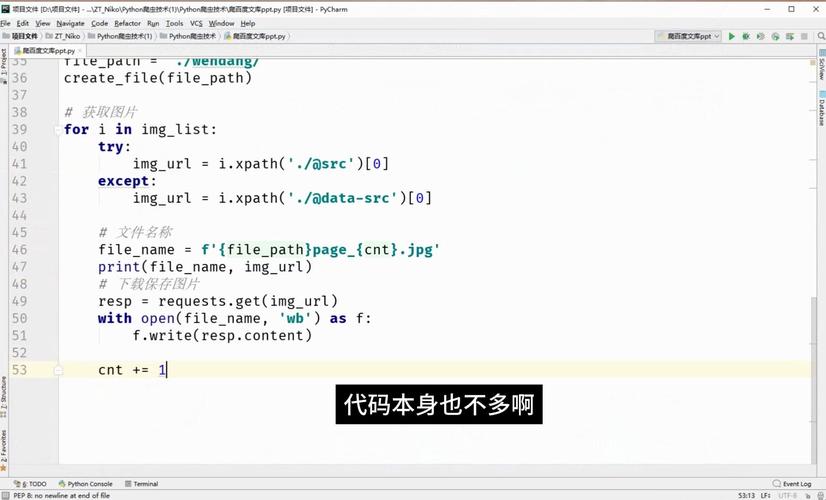
Installation
pip install lxml
Example: Directly using lxml
lxml provides its own classes for representing elements, like Element and HtmlElement.
from lxml import html
# 1. Your HTML content
html_string = """
<html>
<body>
    <h1>Welcome</h1>
    <p class="intro">Hello from lxml!</p>
</body>
</html>
"""
# 2. Parse the HTML string. This returns an HtmlElement object representing the <html> tag.
tree = html.fromstring(html_string)
# 3. Use XPath to find elements. XPath is a powerful query language.
# Find the text of the first <p> tag
p_text = tree.xpath('//p/text()')
print(f"Paragraph text using XPath: {p_text[0]}") # Output: Paragraph text using XPath: Hello from lxml!
# Find the class attribute of the <p> tag
p_class = tree.xpath('//p/@class')
print(f"Paragraph class using XPath: {p_class[0]}") # Output: Paragraph class using XPath: intro
# Find the <h1> tag
h1_element = tree.xpath('//h1')[0]
print(f"H1 element: {h1_element.text}") # Output: H1 element: Welcome
Selenium (for Dynamic Web Pages)
Selenium is used for automating web browsers. It's not for parsing static HTML but for interacting with live, JavaScript-rendered web pages. The elements Selenium finds are also WebElement objects, which function very similarly to HTMLElements.
Installation
pip install selenium
# You also need a WebDriver for your browser (e.g., ChromeDriver)
Example: Finding Elements with Selenium
from selenium import webdriver
from selenium.webdriver.common.by import By
# 1. Set up the WebDriver (make sure chromedriver is in your PATH)
driver = webdriver.Chrome()
# 2. Open a webpage
driver.get("http://quotes.toscrape.com/")
# 3. Find an element. This returns a WebElement object.
# Selenium uses locators like ID, CSS_SELECTOR, XPath, etc.
quote_element = driver.find_element(By.CSS_SELECTOR, '.quote')
# 4. Work with the WebElement (similar to BeautifulSoup)
print(f"Found quote: {quote_element.text}")
# Find a nested element
author = quote_element.find_element(By.CSS_SELECTOR, '.author')
print(f"Author: {author.text}")
# 5. Clean up
driver.quit()
Summary and Comparison
| Feature | Beautiful Soup | lxml (direct) |
Selenium |
|---|---|---|---|
| Primary Use | Parsing static HTML/XML. | Parsing static HTML/XML. Fast. | Automating web browsers. |
| How it Works | Parses HTML into a Pythonic object tree. | Parses HTML into an ElementTree. | Controls a real web browser (Chrome, Firefox, etc.). |
| Query Language | Simple methods like .find(), .find_all(). |
Powerful XPath expressions. | Locators like By.ID, By.CSS_SELECTOR. |
| JavaScript | No. Cannot handle JS-rendered content. | No. Cannot handle JS-rendered content. | Yes. Waits for JS to execute. |
| Best For | Quick scraping of most websites, data extraction from files. | High-performance parsing, complex queries with XPath. | Testing web apps, scraping modern, dynamic sites. |
Recommendation:
- For web scraping most websites, start with Beautiful Soup. It's the easiest and most forgiving.
- If you need high performance or the power of XPath, use
lxmldirectly. - If the website loads content with JavaScript, you must use Selenium (or a headless browser like Playwright).