Of course! The term "placeholder" in Python can mean a few different things depending on the context. Here’s a comprehensive guide covering the most common uses.
The Underscore (_) - The Most Common Placeholder
The single underscore (_) is the most idiomatic and widely used placeholder in Python. Its meaning changes slightly depending on where it's used.
a) Ignoring a Value (Most Common Use)
When you unpack a tuple, list, or any iterable, but you don't care about one or more of the values, you can use _ as a "throwaway" variable.
Example: You want the first and last names from a list, but you don't care about the middle name.
data = ["John", "Jacob", "Smith"]
first_name, _, last_name = data
print(f"First: {first_name}")  # Output: First: John
print(f"Last: {last_name}")    # Output: Last: Smith
# The variable `_` now holds "Jacob", but we just ignore it.
print(_) # Output: Jacob
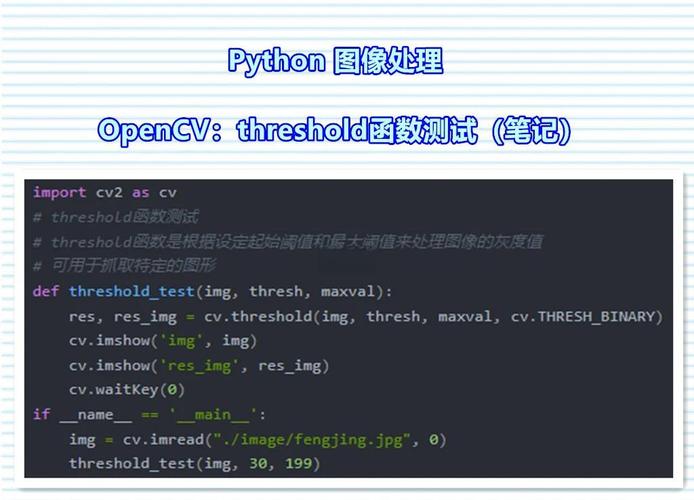
This is especially useful in loops where you need an index but don't use the index value itself.
# Loop 5 times, but we don't need the counter 'i'
for _ in range(5):
    print("Hello, World!")
b) "I Don't Care" Variable in a Function
Sometimes you need a parameter in a function definition for the function signature to work, but you won't use it inside the function. _ is perfect for this.
def process_data(data, _):
    # We only care about 'data', not the second parameter
    return data.upper()
result = process_data("hello", 123)
print(result) # Output: HELLO
c) "Last Expression" in Interactive Mode
In a Python interactive shell (like python or IPython), _ holds the result of the last expression.
>>> 2 + 2
4
>>> _
4
>>> _ * 5
20
>>> print(_)
20
d) "Private" Variables (Convention)
By convention, a name prefixed with a single underscore (e.g., _internal_variable) is meant to be "internal use only" or "private". It signals to other developers: "Don't touch this, it's an implementation detail and might change."
class MyClass:
    def __init__(self):
        self._internal_state = "secret" # This is for internal use
    def get_state(self):
        return self._internal_state
obj = MyClass()
print(obj._internal_state) # You *can* access it, but you probably shouldn't.
# The correct way is through a public method:
print(obj.get_state())
pass Statement - A Placeholder for Code
The pass statement is a null operation. It does nothing at all and is used when a statement is syntactically required, but you have no code to write yet. It acts as a placeholder for future logic.
Common Use Cases:
a) Placeholder in an Empty Class or Function
When you're designing a class or function but haven't implemented the logic yet.
class FutureFeature:
    # This class is not implemented yet, but we need to define it.
    pass
def my_future_function():
    # The logic for this function will be added later.
    pass
# This code will run without errors, even though the class and function are empty.
my_future_function()
future_obj = FutureFeature()
b) Placeholder in a Conditional Block
You might have a condition that you want to handle later.
user_status = "guest"
if user_status == "admin":
    # Grant admin privileges
    pass
elif user_status == "guest":
    # Grant guest privileges
    print("Welcome, guest!")
Ellipsis () - A Placeholder for Future Code
The Ellipsis object, written as , is similar to pass but is more explicit. It means "and so on" or "to be continued." It's often used in stubbing out code, especially in complex data structures or algorithms.
def complex_algorithm(data):
    # TODO: Implement the full algorithm
    ...
# It can also be used in slicing or as a general placeholder
my_list = [1, 2, ..., 99, 100] # This is not valid syntax for lists, but
                                # it illustrates the concept of "filling in the middle".
                                # A more practical use is in type hints or stubs.
None - A Placeholder for "No Value"
While not a syntactic placeholder like pass or _, None is the standard way to represent the absence of a value. It's often used as a default argument or to indicate that a variable doesn't hold any meaningful data yet.
Example: Default Argument
def set_initial_value(value=None):
    if value is None:
        value = 0  # Default if no value is provided
    print(f"Value is set to: {value}")
set_initial_value()      # Output: Value is set to: 0
set_initial_value(42)    # Output: Value is set to: 42
F-Strings and format() - Placeholder for Values
In string formatting, curly braces act as placeholders where values will be inserted.
Example:
name = "Alice"
age = 30
# Using an f-string (Python 3.6+)
message = f"My name is {name} and I am {age} years old."
print(message)
# Output: My name is Alice and I am 30 years old.
# Using the format() method
message = "My name is {} and I am {} years old.".format(name, age)
print(message)
# Output: My name is Alice and I am 30 years old.
Summary Table
| Placeholder | Name | Primary Use Case | Example |
|---|---|---|---|
_ |
Underscore | Ignoring values in unpacking/loops, convention for "private" variables. | first, _, last = ("John", "Q", "Public") |
pass |
Pass Statement | A null operation; placeholder for empty code blocks (classes, functions, conditionals). | def my_func(): pass |
| Ellipsis | Explicit placeholder for "to be continued" or in stubs. | def stub_func(): ... |
|
None |
None | Represents the absence of a value; often used as a default. | def func(arg=None): ... |
| Curly Braces | Placeholder for values in formatted strings (f-strings, format()). |
f"Hello, {name}!" |
For most day-to-day Python programming, the underscore (_) and the pass statement are the placeholders you'll encounter and use most frequently.