Of course! Let's break down the Python idiom if not line:. This is a very common and concise way to check if a string is empty or contains only whitespace.
The Short Answer
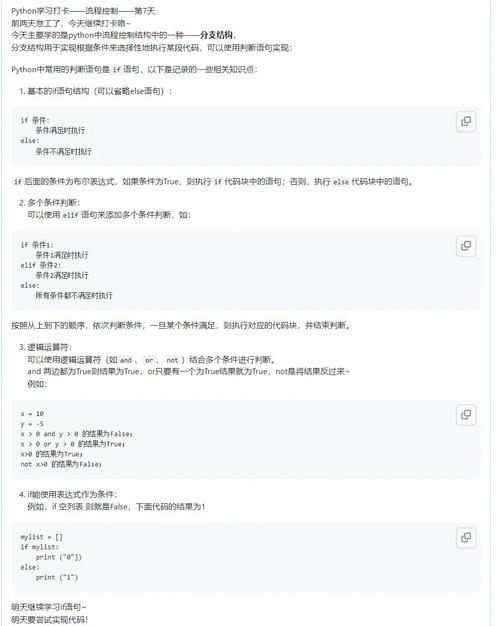
if not line: is a Pythonic way to check if a string line is empty or contains only whitespace characters (like spaces, tabs, or newlines).
It is equivalent to the more verbose if line.strip() == "".
Detailed Breakdown
To understand if not line:, let's look at its three components:
line: This is a variable that typically holds a string, often read from a file or user input.not: This is a logical operator that inverts the boolean value of its operand.- If
lineis "truthy",not linebecomes "falsy". - If
lineis "falsy",not linebecomes "truthy".
- If
if: This is the conditional statement that executes the code block following it only if the condition is "truthy".
What makes a string "truthy" or "falsy" in Python?
In Python, certain values are considered "falsy" because they evaluate to False in a boolean context. Everything else is "truthy".
For strings, the only falsy value is the empty string ().
- (empty string) -> Falsy
"hello"-> Truthy- (string with spaces) -> Truthy (This is a key point!)
"\t\n"(string with a tab and newline) -> Truthy
The Problem with if not line:
Because a string containing only whitespace () is truthy, the condition if not line: will not catch it. The code block will be skipped.
line = "   " # A string with only spaces
if not line:
    print("This line is empty or has only whitespace.")
else:
    print("This line is NOT considered empty by 'if not line:'.")
# Output:
# This line is NOT considered empty by 'if not line:'.
This is often not the desired behavior when processing files, where you want to skip lines that are effectively blank.
The Correct and Pythonic Way: if not line.strip():
To properly check for an empty line or a line with only whitespace, you should use the .strip() method.
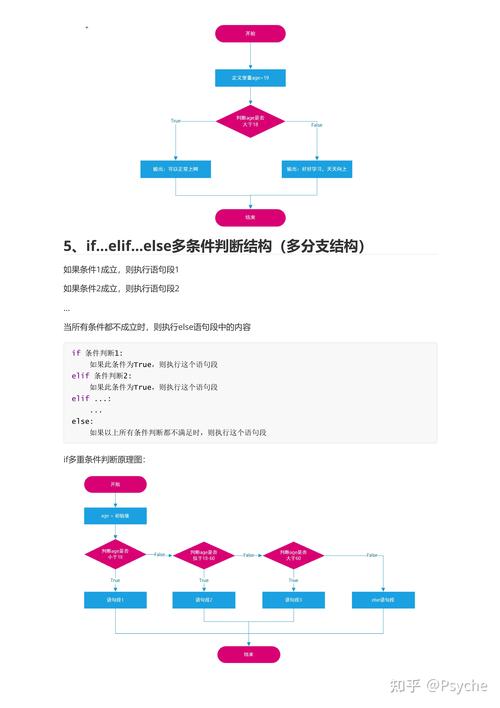
The str.strip() method returns a copy of the string with leading and trailing whitespace removed.
line = "hello world"->line.strip()is"hello world"(not empty)line = " hello "->line.strip()is"hello"(not empty)line = " "->line.strip()is (empty!)line = ""->line.strip()is (empty!)
Now, when you apply not to the result of line.strip(), you get the correct behavior.
line1 = "hello"
line2 = "   "
line3 = "\t\n"
line4 = ""
print(f"'{line1}': {not line1.strip()}") # False
print(f"'{line2}': {not line2.strip()}") # True
print(f"'{line3}': {not line3.strip()}") # True
print(f"'{line4}': {not line4.strip()}") # True
This is the most common and recommended pattern.
Practical Examples
Example 1: Reading a File and Skipping Blank Lines
This is the most common use case for this idiom. You want to process only the lines that contain actual content.
my_file.txt:
First line.
Third line has text.
Fourth line is also here.
Python Script:
with open('my_file.txt', 'r') as f:
    for line in f:
        # Use .strip() to correctly skip lines with only whitespace/newlines
        if not line.strip():
            continue  # Skip to the next line
        # This code only runs for non-empty lines
        print(f"Processing line: '{line.strip()}'")
Output:
Processing line: 'First line.'
Processing line: 'Third line has text.'
Processing line: 'Fourth line is also here.'
Example 2: User Input Loop
Imagine you're asking a user for input until they provide a non-empty value.
while True:
    user_input = input("Please enter a value (or press Enter to stop): ")
    # Check if the user just pressed Enter
    if not user_input.strip():
        print("Stopping the program.")
        break
    print(f"You entered: {user_input}")
If the user types ` (spaces) and presses Enter, the loop will continue becausenot " ".strip()isnot "", which isTrue`.
Comparison of Methods
Here is a summary of different ways to check for an "empty" line and when to use them.
| Method | Checks For | Example | When to Use |
|---|---|---|---|
if not line: |
Only a truly empty string () | if not "": ... |
Rarely. Usually, you want to include whitespace-only lines. |
if line == "": |
Only a truly empty string () | if "" == "": ... |
Same as above. More verbose than if not line:. |
if not line.strip(): |
Empty string OR string with only whitespace. | if not " ".strip(): ... |
This is the most common and recommended method. Use when you want to skip blank lines in files or user input. |
if line.isspace(): |
String with only whitespace characters. | if " \t\n".isspace(): ... |
Use when you specifically need to distinguish between an empty string () and a whitespace-only string (). |
Key Takeaway
While if not line: is valid Python, it's often a subtle bug waiting to happen. The idiomatic and robust way to check for a blank line (empty or whitespace-only) is if not line.strip():. It clearly expresses your intent and handles all common edge cases correctly.