Of course! Let's dive deep into representing and working with matrices using Python tuples.
What is a Tuple Matrix?
A "tuple matrix" is simply a way of representing a matrix in Python where:
- Each row of the matrix is a tuple.
- The entire matrix is a tuple of these row-tuples.
This structure is an immutable version of a more common list-based matrix.
Example: A 2x3 matrix:
1  2  3
4  5  6
Can be represented as a tuple matrix like this:
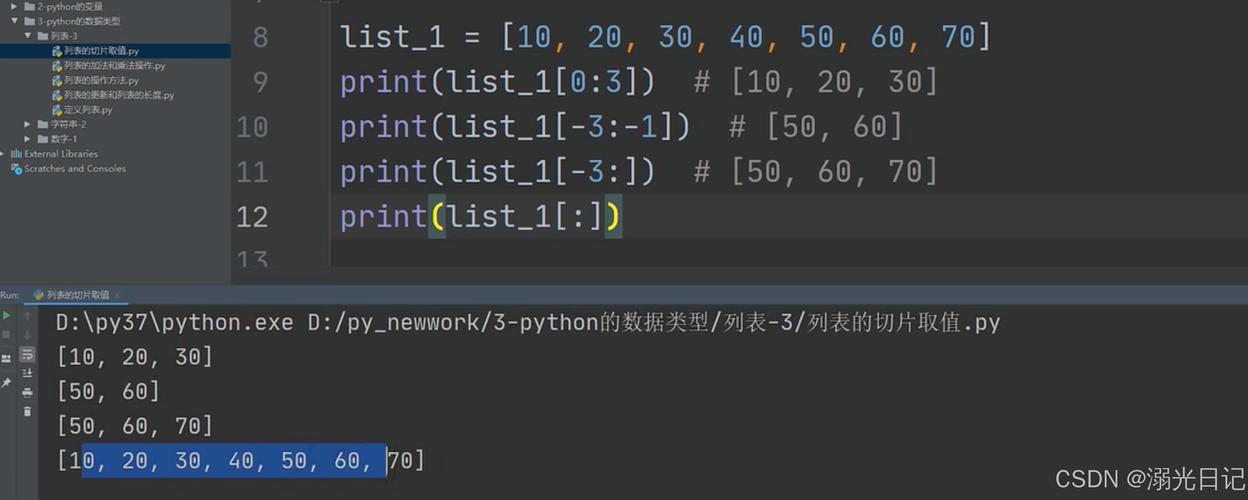
matrix = (
    (1, 2, 3),
    (4, 5, 6)
)
Why Use Tuples for a Matrix?
The primary reason is immutability.
- Data Integrity: Once you define a tuple matrix, you cannot change its elements. This is extremely useful when you want to ensure that the matrix's data remains constant throughout your program's execution, preventing accidental modifications.
- Hashable: Tuples can be used as keys in dictionaries or elements in sets because they are hashable (as long as their elements are hashable). A list matrix cannot. This is a powerful feature for caching or memoization involving matrices.
- Slightly Faster: For small to medium-sized matrices, accessing elements in a tuple can be marginally faster than in a list because of their simpler internal structure.
How to Create a Tuple Matrix
You can create one directly using parentheses.
# A 3x3 identity matrix
identity_matrix = (
    (1, 0, 0),
    (0, 1, 0),
    (0, 0, 1)
)
print(identity_matrix)
# Output: ((1, 0, 0), (0, 1, 0), (0, 0, 1))
A more dynamic way is to convert a list of lists into a tuple of tuples. This is a very common pattern.
# Start with a regular list matrix
list_matrix = [
    [10, 20, 30],
    [40, 50, 60],
    [70, 80, 90]
]
# Convert it to a tuple matrix
tuple_matrix = tuple(tuple(row) for row in list_matrix)
print(tuple_matrix)
# Output: ((10, 20, 30), (40, 50, 60), (70, 80, 90))
Accessing Elements
Accessing elements is done just like with a list of lists, using two indices: matrix[row][column]. Remember that indexing starts at 0.

matrix = (
    (1, 2, 3),
    (4, 5, 6)
)
# Get the element in the 2nd row, 3rd column
element = matrix[1][2]
print(f"The element is: {element}")
# Output: The element is: 6
# Get an entire row
first_row = matrix[0]
print(f"The first row is: {first_row}")
# Output: The first row is: (1, 2, 3)
Limitations: Immutability in Action
This is the most important concept to understand. You cannot change an element in a tuple matrix.
This will cause an error:
matrix = (
    (1, 2, 3),
    (4, 5, 6)
)
# Try to change the element at [0][0] to 99
try:
    matrix[0][0] = 99
except TypeError as e:
    print(f"Error: {e}")
# Output: Error: 'tuple' object does not support item assignment
What if you need to modify the matrix? You have to create a new tuple matrix. This involves converting it back to a mutable format (like lists), making the changes, and then converting it back.
matrix = (
    (1, 2, 3),
    (4, 5, 6)
)
# 1. Convert to a list of lists
list_matrix = [list(row) for row in matrix]
# 2. Modify the element
list_matrix[0][0] = 99
# 3. Convert back to a tuple of tuples
new_matrix = tuple(tuple(row) for row in list_matrix)
print("Original matrix:", matrix)
print("New matrix:    ", new_matrix)
Output:
Original matrix: ((1, 2, 3), (4, 5, 6))
New matrix:     ((99, 2, 3), (4, 5, 6))
As you can see, the original matrix variable is unchanged. This demonstrates the power and safety of immutability.
Common Operations on Tuple Matrices
Since tuples are immutable, operations that modify the matrix (like row operations) require creating a new one. Operations that only read data are straightforward.
A. Iterating Through the Matrix
You can use nested loops just like with a list matrix.
matrix = (
    (1, 2, 3),
    (4, 5, 6)
)
print("Iterating through elements:")
for row in matrix:
    for element in row:
        print(element, end=" ")
    print() # for a new line
Output:
Iterating through elements:
1 2 3
4 5 6
B. Getting Dimensions (Rows and Columns)
You can use the len() function.
matrix = (
    (1, 2, 3, 4),
    (5, 6, 7, 8),
    (9, 10, 11, 12)
)
num_rows = len(matrix)
num_cols = len(matrix[0]) # Assuming at least one row
print(f"Number of rows: {num_rows}")
print(f"Number of columns: {num_cols}")
Output:
Number of rows: 3
Number of columns: 4
C. Finding an Element
You must iterate through the matrix to search for a value.
def find_element(matrix, target):
    """Finds the (row, col) index of a target element."""
    for r_idx, row in enumerate(matrix):
        for c_idx, element in enumerate(row):
            if element == target:
                return (r_idx, c_idx)
    return None # Not found
matrix = (
    (10, 20, 30),
    (40, 50, 60)
)
pos = find_element(matrix, 50)
if pos:
    print(f"Element 50 found at row {pos[0]}, column {pos[1]}")
else:
    print("Element not found.")
Output:
Element 50 found at row 1, column 1When to Use Tuple Matrices vs. List Matrices
| Feature | Tuple Matrix | List Matrix |
|---|---|---|
| Mutability | Immutable (cannot be changed) | Mutable (can be changed) |
| Use Case | - Storing constant data (e.g., game board states, lookup tables). - Using matrices as dictionary keys or set items. |
- When you need to perform calculations and modify the matrix in-place. - General-purpose, dynamic data structures. |
| Performance | Faster element access. | Slightly slower element access, but faster for modifications. |
| Creation | t = ((1,2), (3,4)) |
l = [[1,2], [3,4]] |
Summary
A tuple matrix is an immutable, hashable, and efficient way to represent a matrix in Python. It's the perfect choice when your matrix data is meant to be a constant lookup table or when you need the guarantees that immutability provides. For any situation where the matrix needs to be frequently updated or modified, a standard list of lists (list_matrix) is the more practical and performant option.