Of course! This is a classic and powerful combination in the Python ecosystem, especially for tasks involving computer vision, image processing, and machine learning.
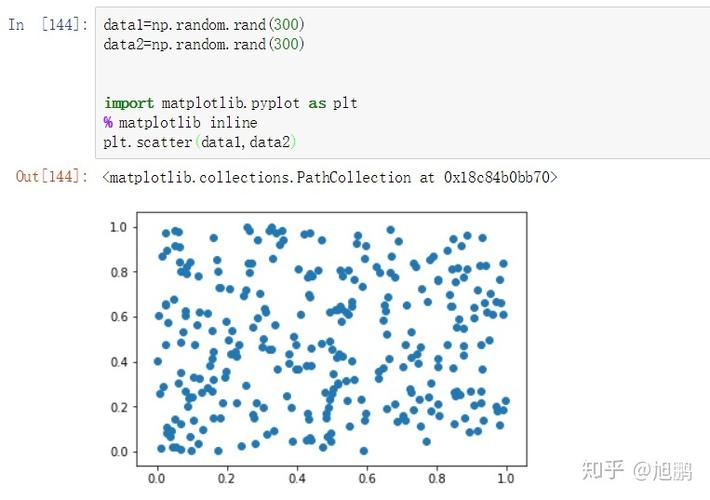
(图片来源网络,侵删)
Let's break down each component and then see how they work together.
The Core Components
NumPy
- What it is: The fundamental package for numerical computation in Python. It provides the
ndarray(N-dimensional array) object. - What it's for:
- Efficient Array Operations: It's incredibly fast for performing mathematical operations on large arrays of numbers (like vectors, matrices, or tensors).
- The "Language" of Data: Think of NumPy as the lingua franca for data in Python. Other libraries like Pandas, SciPy, and crucially, OpenCV, are built on top of it.
- Analogy: If your data is a spreadsheet, NumPy is the engine that can instantly perform calculations on entire columns or rows without you having to write slow loops in Python.
OpenCV (Open Source Computer Vision Library)
- What it is: A massive, open-source library specifically designed for real-time computer vision.
- What it's for:
- Image & Video I/O: Reading images (JPEG, PNG) and video files from your disk or a webcam.
- Image Processing: This is its bread and butter. Includes:
- Resizing, cropping, rotating.
- Color conversions (e.g., RGB to Grayscale).
- Filtering (blurring, sharpening).
- Edge detection (Canny, Sobel).
- Feature Detection: Finding corners, blobs, and other distinctive features in an image.
- Object Detection & Recognition: Using pre-trained models (like Haar Cascades for faces) or training your own to find objects.
- Video Analysis: Tracking objects, background subtraction, optical flow.
- Key Insight: OpenCV uses NumPy arrays as its primary data structure for representing images. This is the key to its power and speed.
Python
- What it is: The high-level, interpreted programming language that acts as the "glue."
- Why it's used:
- Simplicity & Readability: Python's clean syntax makes it easy to prototype and write complex algorithms.
- Ecosystem: It has a rich ecosystem of libraries (like the ones we're discussing) that make it a powerhouse for data science and AI.
- Integration: It can easily integrate with other languages and tools.
The Synergy: How They Work Together
This is the most important part. The magic happens when these three combine.
The Core Idea: An image in OpenCV is a NumPy array.
This means:
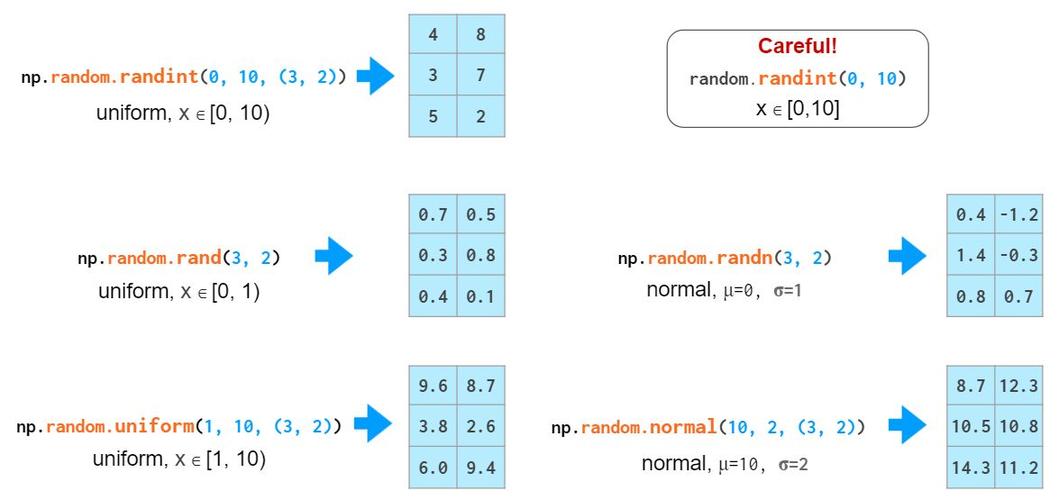
(图片来源网络,侵删)
- You can use OpenCV to load an image.
- You can then use NumPy to perform fast, efficient operations on that image data.
- You can use Python's logic to control the flow of your program.
Workflow Example
Let's trace a simple task: Load an image, convert it to grayscale, and find its edges.
# 1. Import the necessary libraries
import cv2  # The OpenCV library
import numpy as np # The NumPy library
# 2. Load an image using OpenCV
# cv2.imread() loads the image and returns it as a NumPy array.
# The image is read in BGR (Blue, Green, Red) format by default.
image_path = 'my_image.jpg'
image = cv2.imread(image_path)
# Check if the image was loaded successfully
if image is None:
    print(f"Error: Could not load image at {image_path}")
else:
    print(f"Image loaded successfully. Shape: {image.shape}")
    # Shape might be (height, width, 3) for a color image
    # 3. Use NumPy to perform operations (though OpenCV often has built-ins)
    # For example, let's isolate the Blue channel from the BGR image.
    # Since it's a NumPy array, we can use slicing.
    blue_channel = image[:, :, 0]
    print(f"Blue channel shape: {blue_channel.shape}") # Shape is now (height, width)
    # 4. Use OpenCV for computer vision tasks
    # Convert the BGR image to Grayscale
    # cv2.cvtColor() is an OpenCV function that takes a NumPy array and returns a new one.
    gray_image = cv2.cvtColor(image, cv2.COLOR_BGR2GRAY)
    print(f"Grayscale image shape: {gray_image.shape}") # Shape is now (height, width)
    # 5. Use OpenCV for edge detection (Canny algorithm)
    # This function performs complex calculations on the NumPy array.
    edges = cv2.Canny(gray_image, 100, 200)
    # 6. Display the results using OpenCV
    cv2.imshow('Original Image', image)
    cv2.imshow('Grayscale Image', gray_image)
    cv2.imshow('Edge Detected Image', edges)
    # Wait for a key press to close the windows
    cv2.waitKey(0)
    cv2.destroyAllWindows()
In this example:
- Python controls the overall program flow (
import,if/else,cv2.waitKey). - OpenCV provides high-level functions like
cv2.imread(),cv2.cvtColor(), andcv2.Canny()which are optimized for computer vision tasks. - NumPy is the underlying data structure. When
cv2.imread()reads an image, it's stored in memory as a NumPy array. Whencv2.Canny()processes it, it's performing calculations on that NumPy array. Slicing (image[:, :, 0]) is a pure NumPy operation.
A More Advanced Example: Drawing on an Image
This shows how you can directly manipulate the NumPy array using OpenCV drawing functions.
import cv2
import numpy as np
# Create a blank image (a NumPy array filled with zeros)
# Shape: (height, width, 3) for a 3-channel color image
# Data type: uint8 (unsigned 8-bit integer, standard for images)
blank_image = np.zeros((500, 500, 3), dtype=np.uint8)
# OpenCV drawing functions modify the NumPy array in-place
cv2.line(blank_image, (0, 0), (499, 499), (0, 255, 0), 5) # Green line
cv2.rectangle(blank_image, (50, 50), (200, 200), (255, 0, 0), 3) # Blue rectangle
cv2.circle(blank_image, (400, 100), 50, (0, 0, 255), -1) # Red filled circle
# Add text
font = cv2.FONT_HERSHEY_SIMPLEX
cv2.putText(blank_image, 'Hello OpenCV!', (10, 400), font, 1, (255, 255, 255), 2, cv2.LINE_AA)
# Display the image
cv2.imshow('Drawn Image', blank_image)
cv2.waitKey(0)
cv2.destroyAllWindows()
Summary Table
| Feature | NumPy | OpenCV | Python |
|---|---|---|---|
| Primary Role | Numerical computation, arrays | Computer vision, image/video processing | High-level programming, "glue" |
| Data Structure | ndarray (N-dimensional array) |
Uses ndarray to represent images/videos |
Uses ndarray as its core data object |
| Key Strength | Speed, efficient math on large datasets | High-level, optimized CV algorithms | Simplicity, readability, ecosystem |
| Example Task | array * 2 (multiply all pixels by 2) |
cv2.Canny(image, 100, 200) (find edges) |
for loop, if/else, function calls |
Why is this combination so popular?
- Performance: NumPy's array operations are implemented in C, making them orders of magnitude faster than equivalent Python loops. OpenCV is also heavily optimized in C/C++. This allows you to process high-resolution video in real-time.
- Ecosystem: You can easily integrate this stack with other powerful Python libraries like Matplotlib (for plotting), Scikit-learn (for machine learning on image features), and TensorFlow/PyTorch (for deep learning models).
- Simplicity: You get the performance of C/C++ with the readability and ease of use of Python. You don't have to write low-level code to manipulate pixels; you just use the high-level functions provided by OpenCV.
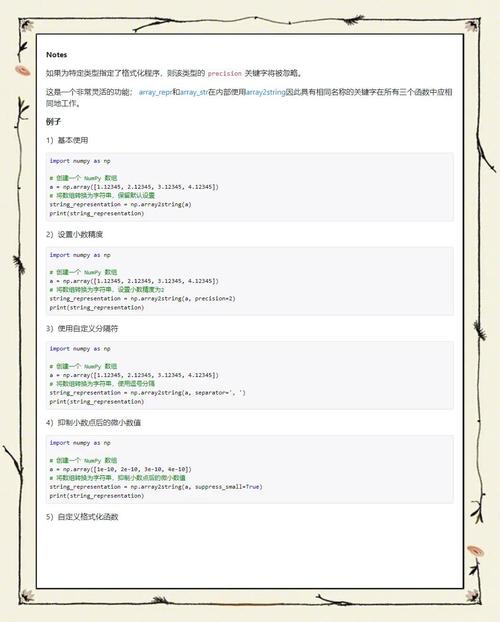
(图片来源网络,侵删)