
Of course! Let's break down the print() function in Python 3.6.5. This version is part of the Python 3.x series, which introduced significant changes from Python 2.x, especially regarding the print statement.
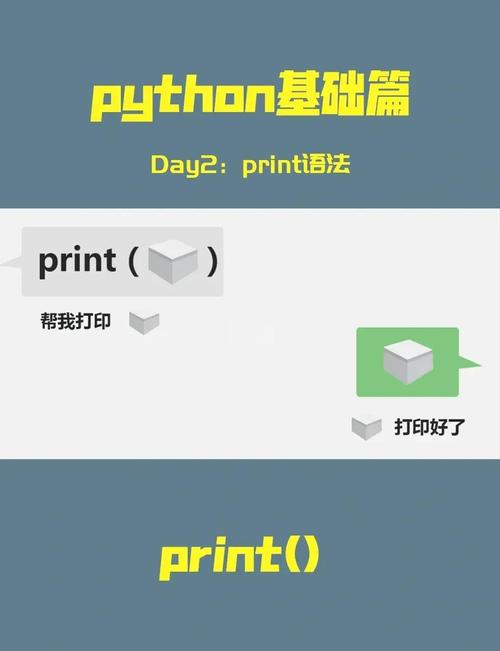
The Basics: print() as a Function
In Python 3, print is a function, not a statement. This is the most important thing to remember. This means you must use parentheses to call it.
Syntax:
print(*objects, sep=' ', end='\n', file=sys.stdout, flush=False)
Let's look at the most common parameters you'll use.
Printing a Single String
This is the simplest use case. You just pass the string you want to display inside the parentheses.
print("Hello, World!")
Output:
Hello, World!Printing Multiple Objects
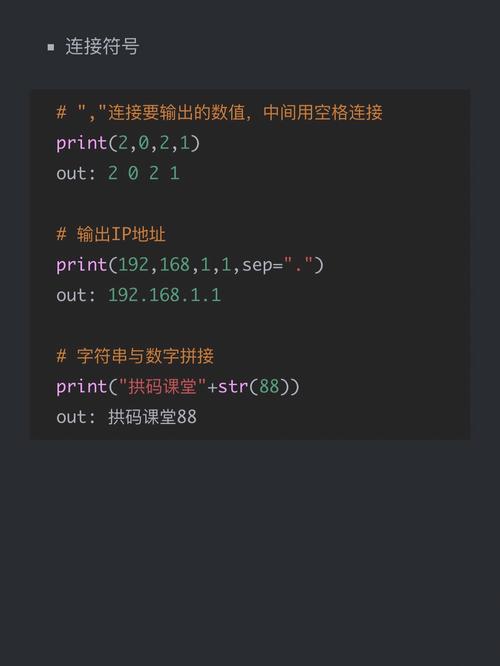
You can pass multiple objects (strings, numbers, etc.) to print(), and it will print them all, separated by a space by default.
name = "Alice"
age = 30
print(name, "is", age, "years old.")
Output:
Alice is 30 years old.Notice how Python automatically converts the number 30 to a string for printing.

The sep Parameter (Separator)
The sep parameter lets you specify the string that will be used to separate the items you are printing. The default is a single space ().
Example 1: Using a different separator
print("Python", "3.6.5", "is", "awesome!", sep="-")
Output:
Python-3.6.5-is-awesome!Example 2: No separator
print("Python", "3.6.5", "is", "awesome!", sep="")
Output:
Python3.6.5isawesome!The end Parameter (Ending Character)
By default, print() adds a newline character (\n) at the end of its output. This means the next print() call will start on a new line. The end parameter lets you change this.
Example 1: Changing the end character
print("This is on line 1.", end=" ")
print("This is on the same line.")
Output:
This is on line 1. This is on the same line.Example 2: Using end to create a progress bar (a common use case)
import time
import sys
for i in range(5):
    print(f"Processing... {i+1}/5", end="\r") # \r moves the cursor to the start of the line
    time.sleep(1)
print("\nDone!") # The final print to move to a new line
(This will show a counter updating in place on the same line for 5 seconds before printing "Done!")
The file Parameter (Output Destination)
By default, print() sends its output to the standard output stream, which is usually your console or terminal. The file parameter allows you to redirect the output to a different file-like object.
Example: Printing to a file
# Use 'with open' for safe file handling
with open('output.txt', 'w') as f:
    print("This line will be written to a file.", file=f)
    print("This one too.", file=f)
print("Check the 'output.txt' file.")
After running this code, a file named output.txt will be created in the same directory with the following content:
This line will be written to a file.
This one too.
The flush Parameter
The flush parameter controls whether the output is forcibly written to the file or stream immediately. The default is False, which means Python can buffer the output and write it in larger, more efficient chunks. Setting flush=True is useful for real-time logging or progress indicators where you need to see the output immediately.
Example: Using flush=True
import time
for i in range(3):
    print(f"Logging message {i}", flush=True)
    time.sleep(1)
Without flush=True, you might not see the messages until the loop finishes. With it, you will see a message printed every second.
Key Differences from Python 2.x
If you're coming from Python 2, this is crucial.
| Feature | Python 2 (Statement) | Python 3.6.5 (Function) |
|---|---|---|
| Syntax | print "Hello" |
print("Hello") |
| Multiple Items | print "a", "b" (separated by space) |
print("a", "b") (separated by space) |
| No Newline | print "a", (trailing comma) |
print("a", end="") (use end parameter) |
| Separator | Not a built-in feature. Required import sys; print "a" + "sep" + "b". |
print("a", "b", sep="-") (use sep parameter) |
| File Output | print >> sys.stderr, "error" |
print("error", file=sys.stderr) (use file parameter) |
Summary of Common print() Idioms in Python 3.6.5
- Print without a newline:
print("Hello", end="") - Print with a custom separator:
print("A", "B", "C", sep="::") - Print to a file:
print("Data", file=open('log.txt', 'a')) - Print formatted strings (f-strings, very common in 3.6+):
name = "Bob"
score = 95
print(f"Player {name} scored {score} points.")
Output:
Player Bob scored 95 points.










