Of course! Let's dive deep into Java Cookies and HTTP. This is a fundamental concept for web development in Java, especially with technologies like Servlets and JSP.

Here's a comprehensive guide covering everything from the basics to advanced topics and best practices.
Table of Contents
- What is a Cookie? (The Analogy)
- How HTTP Cookies Work (The Lifecycle)
- Working with Cookies in Java Servlets
- Creating and Sending a Cookie
- Reading and Receiving Cookies
- Modifying and Deleting a Cookie
- Cookie Attributes and Security
HttpOnlySecureSameSitePathandDomainMax-Age/Expires
- Cookies vs. Sessions
- Best Practices and Limitations
- Modern Alternatives (JWT, Local Storage)
What is a Cookie? (The Analogy)
Imagine you go to a coffee shop for the first time. You order a coffee, pay, and leave. The next day, you come back. The barista doesn't recognize you.
Now, imagine a different coffee shop. When you pay for your first coffee, they give you a loyalty card with your name on it. The next day, you show them the card, and they instantly know your name, what you usually order, and how many points you have.
In this analogy:
- You are the web browser.
- The Coffee Shop is the web server.
- The Loyalty Card is the Cookie.
A cookie is a small piece of data (a text file) that a server sends to a user's web browser. The browser stores it and sends it back to the same server with every subsequent request. This allows the server to remember things about the user across different pages and visits.
How HTTP Cookies Work (The Lifecycle)
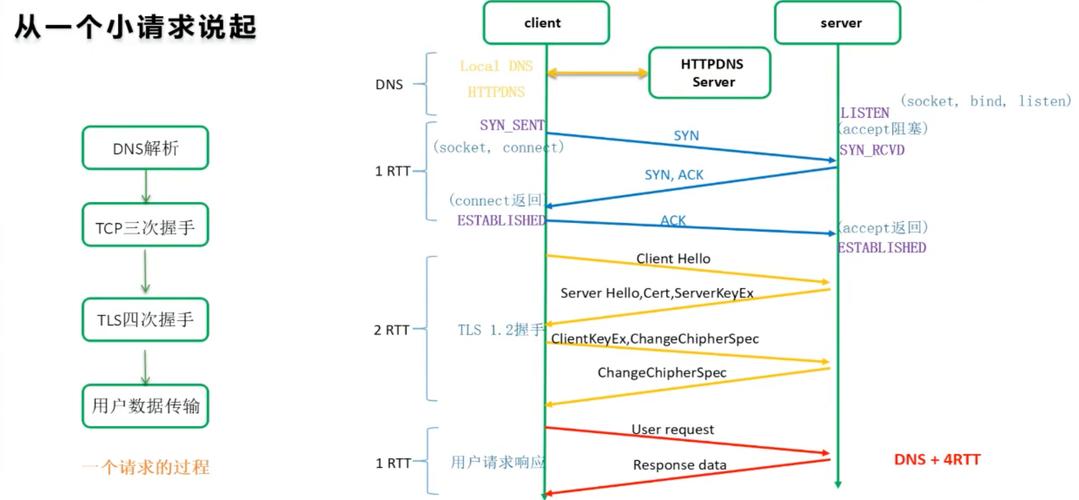
The process is entirely managed by HTTP headers and is stateless. Here's the step-by-step flow:
- Client Request: Your browser requests a page from a server (e.g.,
GET /welcome). - Server Response: The server sees this is a new user. It decides to set a cookie. It adds a
Set-Cookieheader to the HTTP response.HTTP/1.1 200 OKContent-Type: text/htmlSet-Cookie: sessionId=abc123; Path=/; Max-Age=3600<html>...</html>
- Client Storage: The browser receives the response, sees the
Set-Cookieheader, and stores the cookie (sessionId=abc123) in memory or on disk. It associates this cookie with the domain (example.com). - Subsequent Request: You click a link to another page on the same site (e.g.,
GET /profile). The browser automatically attaches the cookie to the request in aCookieheader.GET /profile HTTP/1.1Host: example.comCookie: sessionId=abc123
- Server Recognition: The server receives the request, sees the
Cookieheader, and recognizes the user based on thesessionId. It can now serve personalized content.
Working with Cookies in Java Servlets
In Java web applications (using the Servlet API), you interact with cookies through the javax.servlet.http.Cookie class and the HttpServletRequest / HttpServletResponse objects.
A. Creating and Sending a Cookie
To send a cookie to the client, you create a Cookie object and add it to the HttpServletResponse.
import javax.servlet.ServletException;
import javax.servlet.annotation.WebServlet;
import javax.servlet.http.Cookie;
import javax.servlet.http.HttpServlet;
import javax.servlet.http.HttpServletRequest;
import javax.servlet.http.HttpServletResponse;
import java.io.IOException;
@WebServlet("/set-cookie")
public class SetCookieServlet extends HttpServlet {
    @Override
    protected void doGet(HttpServletRequest request, HttpServletResponse response) throws ServletException, IOException {
        // 1. Create a new Cookie object
        // Syntax: new Cookie("name", "value")
        Cookie userCookie = new Cookie("username", "john.doe");
        // 2. Set cookie attributes (optional but recommended)
        userCookie.setMaxAge(60 * 60); // Store cookie for 1 hour (in seconds)
        userCookie.setPath("/");       // Make the cookie available for the entire application
        // 3. Add the cookie to the response
        // This adds the "Set-Cookie" header to the HTTP response
        response.addCookie(userCookie);
        // Send a response back to the user
        response.setContentType("text/html");
        response.getWriter().println("<h1>Cookie 'username' has been set!</h1>");
    }
}
B. Reading and Receiving Cookies
To read cookies sent by the client, you get the array of Cookie objects from the HttpServletRequest.
import javax.servlet.ServletException;
import javax.servlet.annotation.WebServlet;
import javax.servlet.http.Cookie;
import javax.servlet.http.HttpServlet;
import javax.servlet.http.HttpServletRequest;
import javax.servlet.http.HttpServletResponse;
import java.io.IOException;
@WebServlet("/get-cookie")
public class GetCookieServlet extends HttpServlet {
    @Override
    protected void doGet(HttpServletRequest request, HttpServletResponse response) throws ServletException, IOException {
        // 1. Get the array of cookies from the request
        Cookie[] cookies = request.getCookies();
        String username = "Guest"; // Default value
        // 2. Check if cookies exist and loop through them
        if (cookies != null) {
            for (Cookie cookie : cookies) {
                // 3. Find the cookie by its name
                if ("username".equals(cookie.getName())) {
                    username = cookie.getValue();
                    break; // Found it, no need to continue
                }
            }
        }
        // Send a response back to the user
        response.setContentType("text/html");
        response.getWriter().println("<h1>Hello, " + username + "!</h1>");
    }
}
C. Modifying and Deleting a Cookie
You cannot directly modify a cookie. The standard way to "modify" or "delete" a cookie is to overwrite it with a new one.
- To Modify: Create a new cookie with the same name but a different value and add it to the response.
- To Delete: Create a new cookie with the same name and set its
maxAgeto0. This tells the browser to discard the cookie immediately.
import javax.servlet.ServletException;
import javax.servlet.annotation.WebServlet;
import javax.servlet.http.Cookie;
import javax.servlet.http.HttpServlet;
import javax.servlet.http.HttpServletRequest;
import javax.servlet.http.HttpServletResponse;
import java.io.IOException;
@WebServlet("/delete-cookie")
public class DeleteCookieServlet extends HttpServlet {
    @Override
    protected void doGet(HttpServletRequest request, HttpServletResponse response) throws ServletException, IOException {
        // 1. Create a cookie with the same name
        Cookie userCookie = new Cookie("username", ""); // The value doesn't matter much
        // 2. Set its max age to 0 to delete it
        userCookie.setMaxAge(0);
        userCookie.setPath("/"); // The path must match the original cookie
        // 3. Add the cookie to the response
        // This will instruct the browser to remove the cookie
        response.addCookie(userCookie);
        response.setContentType("text/html");
        response.getWriter().println("<h1>Cookie 'username' has been deleted.</h1>");
    }
}
Cookie Attributes and Security
These attributes are crucial for controlling how cookies behave and for security.
| Attribute | Method | Description | Example |
|---|---|---|---|
Comment |
setComment(String) |
Describes the cookie's purpose. Not used by browsers. | userCookie.setComment("User's login name"); |
Domain |
setDomain(String) |
Specifies which hosts can receive the cookie. Defaults to the host of the current page. | userCookie.setDomain(".example.com"); (allows sub.example.com) |
Max-Age |
setMaxAge(int) |
How long the cookie should live (in seconds). Replaces the older Expires. |
userCookie.setMaxAge(3600); // 1 hour |
Path |
setPath(String) |
Where the cookie is valid. E.g., /app means it's sent for requests to /app/ or /app/home. |
userCookie.setPath("/"); // Valid for the whole domain |
Secure |
setSecure(boolean) |
HTTPS only. If true, the cookie is only sent over an encrypted HTTPS connection. |
userCookie.setSecure(true); |
HttpOnly |
setHttpOnly(boolean) |
Security. If true, the cookie cannot be accessed by client-side JavaScript (e.g., document.cookie). This helps prevent Cross-Site Scripting (XSS) attacks. |
userCookie.setHttpOnly(true); |
SameSite |
setSameSite(String) |
Security. Controls when cookies are sent in cross-site requests. Values are Strict, Lax, or None. Lax is a common default. |
userCookie.setSameSite("Lax"); |
Security Best Practice: For any cookie that handles session data or user authentication, you should almost always set HttpOnly and Secure.
// A secure session cookie example
Cookie sessionCookie = new Cookie("JSESSIONID", "some-secure-id");
sessionCookie.setHttpOnly(true); // Prevents XSS attacks
sessionCookie.setSecure(true);    // Only sent over HTTPS
sessionCookie.setPath("/");
sessionCookie.setMaxAge(30 * 60); // 30 minutes
response.addCookie(sessionCookie);
Cookies vs. Sessions
Developers often confuse cookies and sessions. They work together.
| Feature | Cookie | Session |
|---|---|---|
| Location | Stored on the client's browser. | Data is stored on the server. |
| Capacity | Very small (typically ~4KB per cookie). | Much larger, limited only by server memory/disk. |
| Content | Stores a small amount of data directly. | Stores a unique Session ID. The actual data is on the server. |
| Security | Less secure. Data is visible and can be manipulated by the client. | More secure. Sensitive data never leaves the server. |
| Statelessness | HTTP remains stateless. The client just sends the cookie data back. | The server maintains the state associated with the session ID. |
How they work together:
- A user logs in.
- The server creates a session object on the server to store user data (e.g.,
user_id,roles). - The server generates a unique session ID (e.g.,
xyz789). - The server sends this ID to the client's browser as a cookie (
Set-Cookie: JSESSIONID=xyz789). - On every subsequent request, the browser sends the
JSESSIONIDcookie back. - The server uses this ID to look up the correct session object on the server and retrieve the user's data.
This gives you the scalability of stateless HTTP while maintaining a stateful user experience.
Best Practices and Limitations
- Keep it Small: Store only essential data in cookies. Don't put large objects or sensitive information (like passwords) in them.
- Set Expiration: Always set a
Max-Ageto prevent cookies from living forever. This is crucial for security and privacy. - Use
HttpOnlyandSecure: Make it a habit for any cookie that identifies a user session. - Validate Cookie Data: Treat all cookie data as untrusted. If you use it in your application, validate and sanitize it first.
- Limitations:
- Size: ~4KB per cookie.
- Number: ~50 cookies per domain.
- Total Size: ~4KB per domain.
- Browser Settings: Users can disable cookies in their browser.
Modern Alternatives (JWT, Local Storage)
While cookies are still widely used, modern web applications often use other technologies:
- JSON Web Tokens (JWT): Instead of a session ID, the server sends a self-contained JSON object (the token) that holds user information. The client stores this token (often in
localStorageor as a "Bearer" token in theAuthorizationheader) and sends it with every request. The server validates the token's signature on each request to ensure it hasn't been tampered with. This is common in stateless REST APIs. - Web Storage (
localStorage&sessionStorage): These are browser APIs for storing key-value pairs directly on the client.localStorage: Persists even after the browser is closed.sessionStorage: Is cleared when the page/tab is closed.- Key Difference: These are not sent to the server automatically with every HTTP request like cookies are. You must manually retrieve the data from storage and include it in your API calls (e.g., in a
fetchrequest body or header). This makes them a good choice for storing non-sensitive data that the client needs, like UI state or cached API responses.