Of course! This is a fundamental topic in high-performance scientific computing with Python. Here’s a comprehensive breakdown of LAPACK, BLAS, and how to use them effectively in Python.
The Big Picture: Why BLAS and LAPACK?
Think of building a car:
- BLAS (Basic Linear Algebra Subprograms) is like the engine, wheels, and transmission. It provides low-level, highly optimized "building blocks" for fundamental vector and matrix operations (like dot products, matrix-vector multiplication, and matrix-matrix multiplication).
- LAPACK (Linear Algebra PACKage) is like the car's chassis and the assembly line. It uses these BLAS components to build high-level, complex linear algebra algorithms (like solving systems of equations, finding eigenvalues, or performing matrix factorizations).
You almost always use LAPACK, but its performance depends entirely on having a fast, optimized BLAS implementation underneath.
BLAS (Basic Linear Algebra Subprograms)
BLAS is a specification for a set of low-level routines performing basic vector-vector, vector-matrix, and matrix-matrix operations. It's organized into three levels:
-
Level 1 (BLAS1): Vector operations (O(n) complexity).
 (图片来源网络,侵删)
- Examples: Dot product (
x^T y), vector scaling (a*x), vector addition (y = x + y). - These are rarely the performance bottleneck today.
- Examples: Dot product (
-
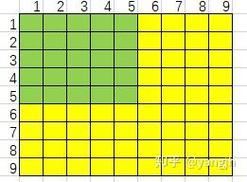
Level 2 (BLAS2): Matrix-vector operations (O(n²) complexity).
- Examples: Matrix-vector multiplication (
y = A*x), matrix-transpose-vector multiplication (y = A^T*x). - More important, but still not the main bottleneck for large problems.
- Examples: Matrix-vector multiplication (
-
Level 3 (BLAS3): Matrix-matrix operations (O(n³) complexity).
- Examples: Matrix-matrix multiplication (
C = A*B), matrix-matrix addition (C = A + B). - This is the workhorse of modern high-performance computing. Because Level 3 operations reuse data from cache multiple times, they achieve a much higher percentage of the computer's peak theoretical performance than Level 1 or 2 operations. Optimizing BLAS3 is key to fast linear algebra.
- Examples: Matrix-matrix multiplication (
Key BLAS Implementations
The BLAS API is a standard, but the implementation is what matters for speed.
- Reference Implementation (
netlib): The original, written in Fortran. It's correct but not optimized for speed. It's the fallback for many systems. - OpenBLAS: A very popular, open-source, optimized implementation. It uses techniques like threading (for multi-core CPUs) and architecture-specific instructions (SSE, AVX) to achieve high performance. This is the most common choice on Linux.
- Intel MKL (Math Kernel Library): A highly optimized, proprietary library from Intel. It's often the fastest on Intel CPUs and is the default for Anaconda on Windows. It can also be used on Linux.
- Apple Accelerate: The framework provided by Apple for macOS. It's highly optimized for Apple Silicon (M-series chips) and Intel chips.
- NVIDIA cuBLAS: The GPU-accelerated BLAS library for NVIDIA GPUs. It's essential for any serious GPU computing.
LAPACK (Linear Algebra PACKage)
LAPACK is a library written in Fortran that provides routines for solving various common problems in numerical linear algebra. Its key strength is its ability to solve problems on shared-memory parallel machines using its highly efficient Level 3 BLAS calls.
Common LAPACK Routines
| Problem Area | LAPACK Routine | What it does | NumPy/SciPy Equivalent |
|---|---|---|---|
| Linear Systems | ?gesv |
Solves A*X = B for a general matrix A. |
numpy.linalg.solve |
?posv |
Solves A*X = B for a symmetric/Hermitian positive-definite matrix A. |
scipy.linalg.solve |
|
| Least Squares | ?gels |
Solves a linear least-squares problem min ||b - Ax||₂. |
numpy.linalg.lstsq |
| Eigenvalue Problems | ?syevd |
Computes eigenvalues and eigenvectors for a symmetric matrix. | numpy.linalg.eigvalsh, scipy.linalg.eigh |
?geev |
Computes eigenvalues and (left/right) eigenvectors for a general matrix. | numpy.linalg.eig, scipy.linalg.eig |
|
| Matrix Factorizations | ?getrf |
LU factorization of a general matrix. | scipy.linalg.lu |
?potrf |
Cholesky factorization of a symmetric positive-definite matrix. | scipy.linalg.cholesky |
|
?geqrf |
QR factorization of a general matrix. | scipy.linalg.qr |
The Python Ecosystem: How It All Connects
You don't call BLAS or LAPACK functions directly from Python. You use high-level libraries that act as a bridge.
The Stack
- User Code (Python): You write code using
numpyorscipy. - NumPy/SciPy (C): These libraries provide the user-friendly Python API. Under the hood, their core linear algebra functions are written in C.
- LAPACK/BLAS Fortran Libraries: The C code in NumPy/SciPy calls pre-compiled, optimized LAPACK and BLAS routines (e.g., from OpenBLAS, MKL, etc.).
- Hardware (CPU/GPU): The optimized libraries use the hardware's full potential (multiple cores, vector instructions, GPU cores).
How to Check Your Backend
It's crucial to know which BLAS/LAPACK implementation your Python environment is using, as it dramatically impacts performance.
import numpy as np
import scipy
# This is the most reliable way to check the BLAS/LAPACK implementation
# used by NumPy and SciPy.
# You need to have SciPy installed for this.
print("SciPy Info:")
print(scipy.__config__)
print("\nNumPy Info:")
# This can also be informative
print(np.show_config())
Example Output (using MKL):
SciPy Info:
blas_mkl_info:
    libraries = ['mkl_rt', 'pthread']
    library_dirs = ['/Users/user/anaconda3/lib']
    define_macros = [('SCIPY_MKL_H', None), ('HAVE_CBLAS', None)]
    include_dirs = ['/Users/user/anaconda3/include']
blas_opt_info:
    libraries = ['mkl_rt', 'pthread']
    library_dirs = ['/Users/user/anaconda3/lib']
    define_macros = [('SCIPY_MKL_H', None), ('HAVE_CBLAS', None)]
    include_dirs = ['/Users/user/anaconda3/include']
lapack_mkl_info:
    libraries = ['mkl_lapack95_core', 'mkl_intel_lp64', 'mkl_core', 'mkl_intel_thread', 'mkl_rt', 'pthread', 'iomp5']
    library_dirs = ['/Users/user/anaconda3/lib']
    define_macros = [('SCIPY_MKL_H', None), ('CBLAS', None)]
    include_dirs = ['/Users/user/anaconda3/include']
Example Output (using OpenBLAS):
SciPy Info:
blas_info:
    libraries = ['openblas', 'openblas']
    library_dirs = ['/usr/local/lib']
    define_macros = [('HAVE_CBLAS', None)]
    language = c
blas_opt_info:
    libraries = ['openblas', 'openblas']
    library_dirs = ['/usr/local/lib']
    define_macros = [('HAVE_CBLAS', None)]
    language = c
lapack_info:
    libraries = ['openblas', 'openblas']
    library_dirs = ['/usr/local/lib']
    define_macros = [('HAVE_CBLAS', None)]
    language = c
Practical Guide: Managing BLAS/LAPACK in Python
Scenario 1: You Just Installed NumPy/SciPy (The Easy Way)
If you installed via conda (e.g., conda install numpy scipy), you likely got a pre-compiled version that is already linked against a fast BLAS (like MKL on Windows or Intel, and Accelerate on macOS). You usually don't need to do anything.
If you installed via pip (e.g., pip install numpy scipy), you most likely got the "sdist" (source distribution) which was compiled against the slow netlib BLAS at build time. This will be slow.
Scenario 2: You Want to Switch or Install a Specific Backend
This is common for performance tuning or when using GPUs.
A. Using MKL (Recommended for Intel CPUs on Linux/Windows)
The easiest way is to use the Anaconda distribution or install the mkl-service package.
# Using conda (easiest)
conda install mkl
# Or using pip
pip install mkl-service
After installing, you may need to rebuild your other packages (like scipy, pandas, scikit-learn) against the new MKL backend.
# Rebuild key packages against MKL
conda install --force-reinstall numpy scipy
B. Using OpenBLAS (Great open-source option for Linux)
# On Ubuntu/Debian
sudo apt-get install libopenblas-dev
# On Fedora/CentOS
sudo dnf install openblas-devel
# Then, you need to rebuild NumPy and SciPy from source
pip install --no-binary numpy,scipy numpy scipy
C. Using GPU (cuBLAS/cuSOLVER)
This requires the NVIDIA CUDA Toolkit. The primary Python interface for this is CuPy.
# First, install the NVIDIA CUDA Toolkit
# Then, install CuPy
pip install cupy-cuda11x # (replace 11x with your CUDA version, e.g., cupy-cuda118)
CuPy provides a drop-in replacement for NumPy that runs on the GPU.
import numpy as np
import cupy as cp
# CPU array
x_cpu = np.random.rand(1000, 1000)
y_cpu = np.random.rand(1000, 1000)
# GPU array (just by changing the import)
x_gpu = cp.random.rand(1000, 1000)
y_gpu = cp.random.rand(1000, 1000)
# The operations are the same, but executed on the GPU
z_cpu = np.dot(x_cpu, y_cpu)
z_gpu = cp.dot(x_gpu, y_gpu)
# Move result back to CPU if needed
z_result = cp.asnumpy(z_gpu)
Summary and Best Practices
- You don't call BLAS/LAPACK directly. You use
numpyandscipy. - Performance is determined by the BLAS/LAPACK backend. A slow
netlibBLAS will make even simple operations slow. - Check your backend with
scipy.__config__to know what you're working with. - For best performance on Intel CPUs: Use a distribution or packages linked against Intel MKL (e.g., via Anaconda).
- For best performance on Apple Silicon: The Apple Accelerate framework is typically used and is very well optimized.
- For GPU acceleration: Use CuPy as a drop-in replacement for NumPy. It will automatically use the highly optimized NVIDIA cuBLAS/cuSOLVER libraries.
- For a good open-source CPU option: Ensure your environment is linked against OpenBLAS.
- Beware of
pip install: It often leads to slow, reference-only BLAS implementations. Usecondaor manually install and link a fast BLAS if you usepip.