Of course! Formatting dates in Java has evolved significantly over the years. Here’s a comprehensive guide covering the three main approaches, from the modern standard to the legacy and problematic methods.

Quick Summary: Which One Should I Use?
| Method | When to Use | Key Takeaway |
|---|---|---|
java.time (Modern) |
Always. For all new code since Java 8. | The standard. Immutable, thread-safe, and powerful. |
SimpleDateFormat (Legacy) |
Never. Only for maintaining old Java 7 or earlier code. | Not thread-safe! Avoid in new applications. |
printf / System.out.println |
For quick, informal logging or console output where perfect formatting isn't critical. | Convenient but not for data serialization or user-facing display. |
The Modern Approach: java.time (Java 8 and later)
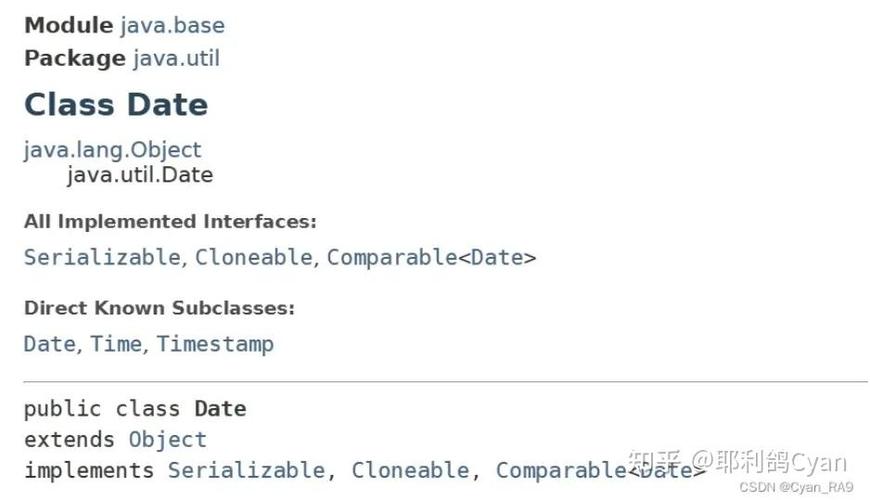
This is the recommended way to handle dates and times in Java. It was introduced in Java 8 to fix all the flaws of the old java.util.Date and java.text.SimpleDateFormat classes. The key classes are:
LocalDate: Represents a date without a time or time-zone (e.g.,2025-10-27).LocalTime: Represents a time without a date or time-zone (e.g.,10:15:30).LocalDateTime: Represents a date and time without a time-zone (e.g.,2025-10-27T10:15:30).DateTimeFormatter: The class for formatting and parsing dates and times. It's immutable and thread-safe.
How to Format with DateTimeFormatter
You use the format() method on a date/time object, passing it a DateTimeFormatter.
Step 1: Create a DateTimeFormatter
You can create a formatter from a predefined pattern or a custom pattern.
Step 2: Apply the Formatter
Call the .format(formatter) method on your LocalDate, LocalTime, or LocalDateTime object.
Example: LocalDate Formatting
import java.time.LocalDate;
import java.time.format.DateTimeFormatter;
public class JavaTimeFormatExample {
    public static void main(String[] args) {
        // 1. Get the current date
        LocalDate today = LocalDate.now();
        System.out.println("Unformatted LocalDate: " + today);
        // 2. Create formatters
        // Predefined formatters
        DateTimeFormatter isoFormatter = DateTimeFormatter.ISO_DATE; // e.g., 2025-10-27
        DateTimeFormatter usFormatter = DateTimeFormatter.ofPattern("MM/dd/yyyy"); // e.g., 10/27/2025
        DateTimeFormatter fullFormatter = DateTimeFormatter.ofPattern("EEEE, MMMM dd, yyyy"); // e.g., Friday, October 27, 2025
        DateTimeFormatter shortFormatter = DateTimeFormatter.ofPattern("yy-MMM-dd"); // e.g., 23-Oct-27
        // 3. Format the date using the formatters
        String formattedDate1 = today.format(isoFormatter);
        String formattedDate2 = today.format(usFormatter);
        String formattedDate3 = today.format(fullFormatter);
        String formattedDate4 = today.format(shortFormatter);
        System.out.println("ISO_DATE: " + formattedDate1);
        System.out.println("MM/dd/yyyy: " + formattedDate2);
        System.out.println("EEEE, MMMM dd, yyyy: " + formattedDate3);
        System.out.println("yy-MMM-dd: " + formattedDate4);
    }
}
Output:
Unformatted LocalDate: 2025-10-27
ISO_DATE: 2025-10-27
MM/dd/yyyy: 10/27/2025
EEEE, MMMM dd, yyyy: Friday, October 27, 2025
yy-MMM-dd: 23-Oct-27
Pattern Characters for DateTimeFormatter
| Symbol | Meaning | Example |
|---|---|---|
y |
Year | 2025, 23 |
M |
Month in year | 10, Oct, October |
d |
Day in month | 27 |
E |
Day name in week | Fri, Friday |
a |
AM/PM marker | AM, PM |
H |
Hour in day (0-23) | 0, 13 |
h |
Hour in am/pm (1-12) | 1, 1 |
m |
Minute in hour | 30 |
s |
Second in minute | 55 |
S |
Fraction of second | 978 |
z |
Time zone name | Pacific Standard Time |
Z |
Time zone offset | -0800 |
The Legacy Approach: SimpleDateFormat (Java 7 and earlier)
This was the standard before Java 8. It is highly discouraged for new code because it is not thread-safe. If you share a single SimpleDateFormat instance across multiple threads, you will get incorrect results and runtime exceptions.
How to Use (for legacy code only)
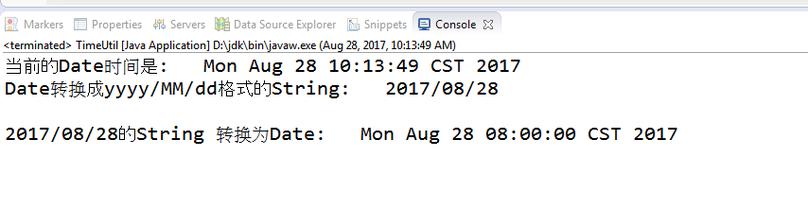
You create an instance of SimpleDateFormat with a pattern string and then call its format() method.
import java.text.SimpleDateFormat;
import java.util.Date;
public class LegacyDateFormatExample {
    public static void main(String[] args) {
        // 1. Get the current date
        Date now = new Date();
        System.out.println("Unformatted Date: " + now);
        // 2. Create a SimpleDateFormat instance
        // WARNING: Not thread-safe! Do not reuse this instance in a multi-threaded environment.
        SimpleDateFormat formatter = new SimpleDateFormat("EEEE, MMMM dd, yyyy HH:mm:ss");
        // 3. Format the date
        String formattedDate = formatter.format(now);
        System.out.println("Formatted Date: " + formattedDate);
    }
}
Output:
Unformatted Date: Fri Oct 27 10:30:55 PDT 2025
Formatted Date: Friday, October 27, 2025 10:30:55
The Thread-Safety Problem:
If you try to use the same formatter object from multiple threads, you will encounter unpredictable behavior.
// --- BAD CODE: DO NOT DO THIS ---
// SimpleDateFormat formatter = new SimpleDateFormat("yyyy-MM-dd");
// Runnable task = () -> {
//     System.out.println(Thread.currentThread().getName() + ": " + formatter.format(new Date()));
// };
// new Thread(task).start();
// new Thread(task).start();
// new Thread(task).start();
// --- END OF BAD CODE ---
The Quick & Easy Way: printf and System.out.println
For simple, non-critical output, you can use the built-in formatting features of System.out. This is great for logging or quick console checks.
%tF: Short foryyyy-MM-dd%tD: Short forMM/dd/yy%td: Day of the month (2 digits)%tm: Month as a decimal number (2 digits)%ty: Year (2 digits)%tY: Year (4 digits)%tA: Full weekday name%tB: Full month name
import java.time.LocalDate;
public class PrintfExample {
    public static void main(String[] args) {
        LocalDate today = LocalDate.now();
        // Using printf for formatted output
        System.out.printf("Default format: %tF%n", today); // %n is a platform-independent newline
        System.out.printf("US format:       %tD%n", today);
        System.out.printf("Verbose format:  %tA, %tB %td, %tY%n", today, today, today, today);
    }
}
Output:
Default format: 2025-10-27
US format:       10/27/23
Verbose format:  Friday, October 27, 2025
Bonus: Parsing a String into a Date
Formatting is converting a date to a string. Parsing is the reverse: converting a string into a date object.
With java.time (Modern)
Use the parse() method of the date/time class, providing a DateTimeFormatter.
import java.time.LocalDate;
import java.time.format.DateTimeFormatter;
import java.time.format.DateTimeParseException;
public class JavaTimeParseExample {
    public static void main(String[] args) {
        String dateString = "October 27, 2025";
        DateTimeFormatter formatter = DateTimeFormatter.ofPattern("MMMM d, yyyy");
        try {
            LocalDate parsedDate = LocalDate.parse(dateString, formatter);
            System.out.println("Successfully parsed: " + parsedDate);
            System.out.println("Day of the week: " + parsedDate.getDayOfWeek());
        } catch (DateTimeParseException e) {
            System.err.println("Error: Could not parse the date string '" + dateString + "'");
            e.printStackTrace();
        }
    }
}
Output:
Successfully parsed: 2025-10-27
Day of the week: FRIDAY
With SimpleDateFormat (Legacy)
Use the parse() method of the SimpleDateFormat instance.
import java.text.SimpleDateFormat;
import java.util.Date;
public class LegacyParseExample {
    public static void main(String[] args) {
        String dateString = "27-10-2025";
        // Note the pattern must match the string format
        SimpleDateFormat formatter = new SimpleDateFormat("dd-MM-yyyy");
        try {
            Date parsedDate = formatter.parse(dateString);
            System.out.println("Successfully parsed: " + parsedDate);
        } catch (java.text.ParseException e) {
            System.err.println("Error: Could not parse the date string '" + dateString + "'");
            e.printStackTrace();
        }
    }
}
Output:
Successfully parsed: Fri Oct 27 00:00:00 PDT 2025