Of course! The Python sorted() function is a fundamental and powerful tool for ordering any iterable, like lists, tuples, or dictionaries. It returns a new, sorted list from the items in an iterable.
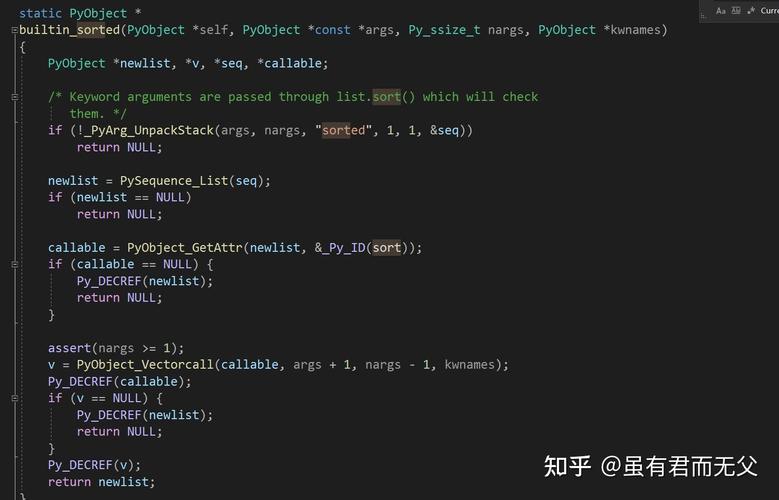
Here’s a complete guide covering the basics, advanced usage, and common use cases.
The Basics: sorted()
The simplest way to use sorted() is by passing it a list.
# A list of numbers
numbers = [4, 1, 8, 2, 5, 3]
sorted_numbers = sorted(numbers)
print(f"Original list: {numbers}")
print(f"New sorted list: {sorted_numbers}")
# A list of strings
words = ["banana", "apple", "cherry", "date"]
sorted_words = sorted(words)
print(f"\nOriginal list: {words}")
print(f"New sorted list: {sorted_words}")
Output:
Original list: [4, 1, 8, 2, 5, 3]
New sorted list: [1, 2, 3, 4, 5, 8]
Original list: ['banana', 'apple', 'cherry', 'date']
New sorted list: ['apple', 'banana', 'cherry', 'date']
Key takeaway: sorted() does not modify the original list. It returns a brand new list.
The In-Place Alternative: list.sort()
If you want to sort a list in-place (modify the original list directly), you can use the .sort() method. This method does not return a new list; it returns None.
numbers = [4, 1, 8, 2, 5, 3]
print(f"List before sorting: {numbers}")
# This modifies the list directly and returns None
result = numbers.sort()
print(f"List after sorting:  {numbers}")
print(f"Return value of .sort(): {result}")
Output:
List before sorting: [4, 1, 8, 2, 5, 3]
List after sorting:  [1, 2, 3, 4, 5, 8]
Return value of .sort(): None| Feature | sorted(my_list) |
my_list.sort() |
|---|---|---|
| What it does | Returns a new sorted list. | Sorts the list in-place. |
| Return Value | A new list. | None |
| Original List | Is not modified. | Is modified. |
| Works on | Any iterable (lists, tuples, etc.). | Only lists. |
Customizing the Sort: key and reverse
This is where sorted() becomes incredibly powerful.
The key Argument
The key argument specifies a function to be called on each element prior to making comparisons. This allows you to sort based on a specific attribute or a transformed version of the element.
Example 1: Sorting a list of tuples by the second item
students = [
    ("Alice", 85),
    ("Bob", 92),
    ("Charlie", 78)
]
# Sort by the second element of each tuple (the score)
sorted_by_score = sorted(students, key=lambda student: student[1])
print(sorted_by_score)
Output:
[('Charlie', 78), ('Alice', 85), ('Bob', 92)]Example 2: Sorting a list of dictionaries by a value
products = [
    {"name": "Laptop", "price": 1200},
    {"name": "Mouse", "price": 25},
    {"name": "Keyboard", "price": 75}
]
# Sort by the value of the 'price' key
sorted_by_price = sorted(products, key=lambda item: item["price"])
print(sorted_by_price)
Output:
[{'name': 'Mouse', 'price': 25}, {'name': 'Keyboard', 'price': 75}, {'name': 'Laptop', 'price': 1200}]Example 3: Case-insensitive string sorting
By default, uppercase letters come before lowercase letters. To sort strings alphabetically regardless of case, use the .lower() method as the key.
words = ["Apple", "banana", "cat", "Dog"]
# Default sort (case-sensitive)
print("Default sort:", sorted(words))
# Case-insensitive sort
print("Case-insensitive sort:", sorted(words, key=str.lower))
Output:
Default sort: ['Apple', 'Dog', 'Apple', 'banana', 'cat']
Case-insensitive sort: ['Apple', 'banana', 'cat', 'Dog']
The reverse Argument
To sort in descending order, set reverse=True.
numbers = [4, 1, 8, 2, 5, 3]
# Sort in descending order
descending_numbers = sorted(numbers, reverse=True)
print(descending_numbers)
Output:
[8, 5, 4, 3, 2, 1]You can combine key and reverse:
students = [("Alice", 85), ("Bob", 92), ("Charlie", 78)]
# Sort by score in descending order
sorted_by_score_desc = sorted(students, key=lambda s: s[1], reverse=True)
print(sorted_by_score_desc)
Output:
[('Bob', 92), ('Alice', 85), ('Charlie', 78)]Sorting Complex Data
For more complex objects, you can define a function to extract the sorting key.
Example: Sorting a list of custom objects
class Employee:
    def __init__(self, name, age, salary):
        self.name = name
        self.age = age
        self.salary = salary
    def __repr__(self): # A nice string representation for printing
        return f"Employee({self.name}, {self.age}, ${self.salary})"
employees = [
    Employee("David", 35, 90000),
    Employee("Alice", 28, 85000),
    Employee("Charlie", 35, 95000),
    Employee("Bob", 45, 110000)
]
# Sort by age
sorted_by_age = sorted(employees, key=lambda emp: emp.age)
print("--- Sorted by Age ---")
print(sorted_by_age)
# Sort by salary (descending)
sorted_by_salary = sorted(employees, key=lambda emp: emp.salary, reverse=True)
print("\n--- Sorted by Salary (Descending) ---")
print(sorted_by_salary)
# Sort by age, then by salary for people with the same age
# Python's sort is "stable", meaning if two items are equal,
# their original order is preserved. A common trick is to sort
# by the secondary key first, then the primary key.
sorted_by_age_then_salary = sorted(employees, key=lambda emp: (emp.age, -emp.salary))
# We use -emp.salary to sort salary in descending order for the same age
print("\n--- Sorted by Age, then by Salary (for same age) ---")
print(sorted_by_age_then_salary)
Output:
--- Sorted by Age ---
[Employee(Alice, 28, $85000), Employee(David, 35, $90000), Employee(Charlie, 35, $95000), Employee(Bob, 45, $110000)]
--- Sorted by Salary (Descending) ---
[Employee(Bob, 45, $110000), Employee(Charlie, 35, $95000), Employee(David, 35, $90000), Employee(Alice, 28, $85000)]
--- Sorted by Age, then by Salary (for same age) ---
[Employee(Alice, 28, $85000), Employee(David, 35, $90000), Employee(Charlie, 35, $95000), Employee(Bob, 45, $110000)]
Common Pitfalls and Tips
-
sorted()vs..sort(): This is the most common mistake. Remember thatsorted()returns a new list, while.sort()modifies the list in-place and returnsNone.# Incorrect usage my_list = [3, 1, 2] new_list = my_list.sort() # new_list will be None!
-
TypeError: You cannot compare different data types (e.g., strings and integers).
mixed_list = [10, "apple", 5, "banana"]
# This will raise a TypeError!
# sorted(mixed_list)
-
Sorting Stability: Python's sort is "stable." If two items have an equal key, their original relative order is preserved. This is very useful for multi-level sorting (as shown above).