Of course! Let's dive deep into Python's urlretrieve function.
What is urlretrieve?
urlretrieve is a convenient function from Python's built-in urllib.request module. Its primary purpose is to download a file from a URL directly to your local machine.
Think of it as a simple, one-line command for downloading files. It's perfect for scripts, automation, and quick tasks where you don't need the complexity of handling streams or large files in memory.
The Basic Syntax
The function is located in urllib.request, so you need to import it first.
from urllib.request import urlretrieve
# The simplest usage
urlretrieve(url, filename)
url: The web address of the file you want to download (a string).filename: The path (including the filename) where you want to save the downloaded file on your computer (a string). If you only provide a filename (e.g.,'my_image.jpg'), the file will be saved in the current working directory.
Simple Example: Downloading an Image
Let's download a sample image from a public URL and save it as sample_image.jpg.

from urllib.request import urlretrieve
# The URL of the file to download
image_url = "https://via.placeholder.com/150.png"
# The local filename to save it to
local_filename = "sample_image.png"
print(f"Downloading {image_url}...")
# Perform the download
urlretrieve(image_url, local_filename)
print(f"Download complete! File saved as {local_filename}")
To run this code:
- Save it as a Python file (e.g.,
download.py). - Run it from your terminal:
python download.py - You will find a new file named
sample_image.pngin the same directory.
Advanced Usage: The reporthook Argument
The real power of urlretrieve comes from its third optional argument: reporthook. This is a callback function that is called periodically during the download. It's extremely useful for providing progress feedback to the user.
The reporthook function must accept three arguments:
block_num: The number of data blocks transferred so far.block_size: The size in bytes of each block.total_size: The total size of the file in bytes (can sometimes be-1if the server doesn't provide it).
You can use these arguments to calculate the download percentage.
Example: Download with a Progress Bar
Here’s how you can create a simple but effective progress bar.
from urllib.request import urlretrieve
import sys
def show_progress(block_num, block_size, total_size):
    """
    Callback function to display download progress.
    """
    if total_size > 0:
        downloaded = block_num * block_size
        percent = (downloaded / total_size) * 100
        # sys.stdout.write overwrites the current line
        sys.stdout.write(f"\rDownloaded: {percent:.2f}%")
        sys.stdout.flush()
    else:
        # If total_size is unknown, just show downloaded bytes
        sys.stdout.write(f"\rDownloaded: {block_num * block_size} bytes")
        sys.stdout.flush()
# The URL of a larger file to see the progress
large_file_url = "https://www.learningcontainer.com/wp-content/uploads/2025/05/sample-mp3-file.mp3"
local_filename = "sample.mp3"
print(f"Starting download of {large_file_url}...")
# Perform the download with our progress hook
urlretrieve(large_file_url, local_filename, reporthook=show_progress)
# Print a newline character to move to the next line after the progress bar
print("\nDownload complete!")
When you run this, you'll see a progress bar that updates in place, like this:
Downloaded: 45.78%
Handling Errors
Network downloads can fail for many reasons (no internet, wrong URL, server error, etc.). It's crucial to handle these potential errors. The urlretrieve function can raise exceptions like URLError or HTTPError.
Example: Robust Download with Error Handling
We'll wrap our download in a try...except block.
from urllib.request import urlretrieve
from urllib.error import HTTPError, URLError
import sys
def show_progress(block_num, block_size, total_size):
    if total_size > 0:
        downloaded = block_num * block_size
        percent = (downloaded / total_size) * 100
        sys.stdout.write(f"\rDownloaded: {percent:.2f}%")
        sys.stdout.flush()
# A URL that might not exist
bad_url = "https://example.com/non_existent_file.zip"
local_filename = "non_existent_file.zip"
print(f"Attempting to download {bad_url}...")
try:
    urlretrieve(bad_url, local_filename, reporthook=show_progress)
    print(f"\nDownload successful! Saved as {local_filename}")
except HTTPError as e:
    # Handles HTTP errors like 404 (Not Found) or 403 (Forbidden)
    print(f"\nHTTP Error occurred: {e.code} - {e.reason}")
except URLError as e:
    # Handles other URL-related errors (e.g., no network connection)
    print(f"\nURL Error occurred: {e.reason}")
except Exception as e:
    # A catch-all for any other unexpected errors
    print(f"\nAn unexpected error occurred: {e}")
Comparison: urlretrieve vs. requests.get
While urlretrieve is great, the requests library is the modern standard for HTTP in Python. Here’s a quick comparison to help you choose.
| Feature | urllib.request.urlretrieve |
requests.get |
|---|---|---|
| Simplicity | Very simple. One line for a basic download. | Slightly more code, but very intuitive. |
| Standard Library | Yes. No need to install anything. | No. Requires pip install requests. |
| Flexibility | Limited. Designed for direct file download. | Extremely flexible. Full control over headers, auth, sessions, cookies, etc. |
| Memory Usage | Efficient. Streams data directly to a file, avoiding high memory usage. | Can be memory-intensive if you use .content or .text for large files without streaming. |
| Error Handling | Raises standard exceptions. | Has a built-in response.raise_for_status() method for cleaner HTTP error handling. |
| Metadata | Returns a tuple (filename, headers). |
The entire response object contains headers, status code, history, etc. |
requests Equivalent of the Progress Bar Example
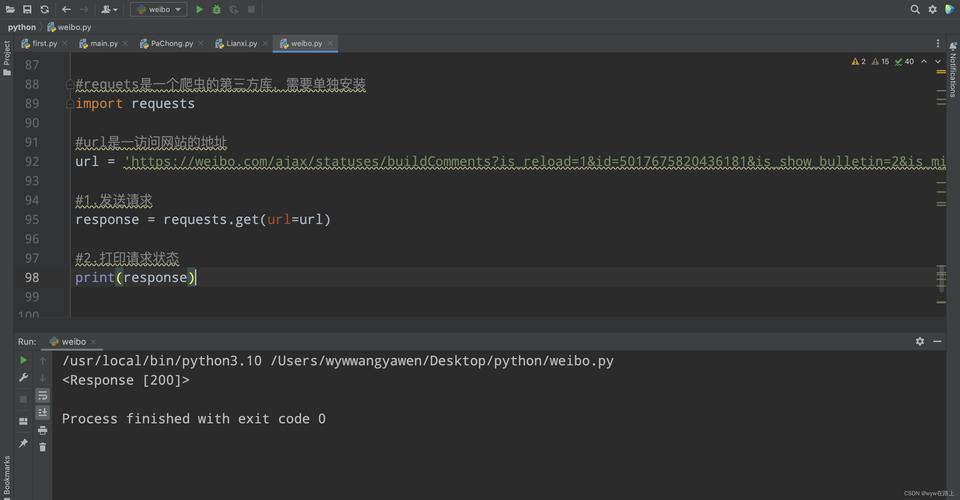
For completeness, here's how you'd achieve the same progress bar with requests. This is a common pattern because requests doesn't have a built-in reporthook.
import requests
import sys
def download_with_requests(url, local_filename):
    print(f"Starting download of {url}...")
    with requests.get(url, stream=True) as r:
        r.raise_for_status()  # Will raise an HTTPError for bad responses (4xx or 5xx)
        total_size = int(r.headers.get('content-length', 0))
        with open(local_filename, 'wb') as f:
            for chunk in r.iter_content(chunk_size=8192):
                f.write(chunk)
                # Calculate and print progress
                if total_size > 0:
                    downloaded = f.tell()
                    percent = (downloaded / total_size) * 100
                    sys.stdout.write(f"\rDownloaded: {percent:.2f}%")
                    sys.stdout.flush()
        print("\nDownload complete!")
# --- Usage ---
large_file_url = "https://www.learningcontainer.com/wp-content/uploads/2025/05/sample-mp3-file.mp3"
local_filename = "sample_requests.mp3"
download_with_requests(large_file_url, local_filename)
Summary: When to Use Which?
-
Use
urlretrievewhen:- You are writing a quick script and want the absolute simplest solution.
- You are in an environment where you cannot install external libraries.
- Your only goal is to get a file from a URL onto your disk with minimal fuss.
-
Use the
requestslibrary when:- You are building any serious application or API client.
- You need to interact with APIs that require headers, authentication, or cookies.
- You need more control over the download process or better, more Pythonic error handling.
- You are already using
requestsfor other parts of your project.