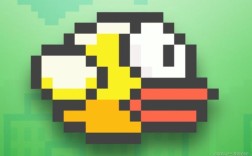
Of course! Creating a Flappy Bird game in Java is a fantastic project for learning game development fundamentals. We'll build a simple, command-line version using Java's built-in libraries. This version will be runnable directly from your terminal or IDE without needing any external graphics libraries.
Here is a complete, step-by-step guide to creating Flappy Bird in Java.
Core Concepts We'll Use
Swing: We'll use theJFrameclass to create the main game window.Graphics&Graphics2D: We'll use thepaintComponentmethod to draw all our game elements (bird, pipes, background) onto the screen.javax.swing.Timer: This is crucial for creating the game loop. It will call ourupdatemethod at a regular interval (e.g., 60 times per second).- Object-Oriented Programming (OOP): We'll create classes for
Bird,Pipe, and the mainGameitself to keep our code organized. - Event Handling: We'll use a
KeyListenerto make the bird "flap" when the user presses the spacebar.
Step 1: Project Setup
- Create a new Java project in your favorite IDE (like IntelliJ, Eclipse, or VS Code).
- Create a new Java file named
FlappyBird.java. This will be our main class.
Step 2: The Bird Class
This class will manage the bird's state: its position, velocity, and how it's drawn.
Create a new file named Bird.java.
// Bird.java
import java.awt.*;
public class Bird {
    private int x, y;
    private int radius;
    private int velocity;
    private final int gravity = 1;
    private final int jumpStrength = -15;
    public Bird(int x, int y) {
        this.x = x;
        this.y = y;
        this.radius = 15;
        this.velocity = 0;
    }
    public void update() {
        velocity += gravity;
        y += velocity;
    }
    public void jump() {
        velocity = jumpStrength;
    }
    public void draw(Graphics g) {
        g.setColor(Color.YELLOW);
        g.fillOval(x - radius, y - radius, radius * 2, radius * 2);
        // Draw a simple eye
        g.setColor(Color.BLACK);
        g.fillOval(x + 5, y - 5, 5, 5);
    }
    // --- Getters for Collision Detection ---
    public int getX() { return x; }
    public int getY() { return y; }
    public int getRadius() { return radius; }
}
Step 3: The Pipe Class
This class will represent a pair of pipes (top and bottom) that move across the screen.
Create a new file named Pipe.java.
// Pipe.java
import java.awt.*;
public class Pipe {
    private int x;
    private int topHeight;
    private int gap;
    private final int width = 50;
    private final int speed = 5;
    public Pipe(int x, int topHeight, int gap) {
        this.x = x;
        this.topHeight = topHeight;
        this.gap = gap;
    }
    public void update() {
        x -= speed;
    }
    public void draw(Graphics g) {
        g.setColor(Color.GREEN.darker());
        // Top pipe
        g.fillRect(x, 0, width, topHeight);
        // Bottom pipe
        g.fillRect(x, topHeight + gap, width, 600 - (topHeight + gap));
    }
    // --- Getters for Collision Detection ---
    public int getX() { return x; }
    public int getWidth() { return width; }
    public int getTopHeight() { return topHeight; }
    public int getGap() { return gap; }
    public int getBottomPipeY() { return topHeight + gap; }
}
Step 4: The Main FlappyBird Game Class
This is where everything comes together. It will contain the game loop, handle user input, and manage the game state.
Replace the content of FlappyBird.java with the following code. The comments explain each part in detail.
// FlappyBird.java
import javax.swing.*;
import java.awt.*;
import java.awt.event.*;
import java.util.ArrayList;
import java.util.Random;
public class FlappyBird extends JPanel implements ActionListener, KeyListener {
    // --- Game Constants ---
    private final int WIDTH = 400;
    private final int HEIGHT = 600;
    private final int PIPE_GAP = 150;
    private final int PIPE_SPACING = 300; // Space between pipes
    private final int BIRD_START_X = 100;
    private final int BIRD_START_Y = HEIGHT / 2;
    // --- Game Objects ---
    private Bird bird;
    private ArrayList<Pipe> pipes;
    private Random random;
    // --- Game State ---
    private int score;
    private boolean gameOver;
    private Timer gameTimer;
    public FlappyBird() {
        // --- Setup Panel ---
        setPreferredSize(new Dimension(WIDTH, HEIGHT));
        setBackground(new Color(135, 206, 235)); // Sky blue
        setFocusable(true); // Allows the panel to receive key events
        addKeyListener(this);
        // --- Initialize Game ---
        resetGame();
    }
    private void resetGame() {
        bird = new Bird(BIRD_START_X, BIRD_START_Y);
        pipes = new ArrayList<>();
        random = new Random();
        score = 0;
        gameOver = false;
        // Create initial pipes
        for (int i = 0; i < 3; i++) {
            int pipeX = WIDTH + i * PIPE_SPACING;
            int topPipeHeight = random.nextInt(HEIGHT - PIPE_GAP - 100) + 50;
            pipes.add(new Pipe(pipeX, topPipeHeight, PIPE_GAP));
        }
        // Start the game loop
        if (gameTimer != null) {
            gameTimer.stop();
        }
        gameTimer = new Timer(1000 / 60, this); // 60 FPS
        gameTimer.start();
    }
    @Override
    public void paintComponent(Graphics g) {
        super.paintComponent(g);
        Graphics2D g2d = (Graphics2D) g;
        g2d.setRenderingHint(RenderingHints.KEY_ANTIALIASING, RenderingHints.VALUE_ANTIALIAS_ON);
        if (!gameOver) {
            // Draw game objects
            bird.draw(g2d);
            for (Pipe pipe : pipes) {
                pipe.draw(g2d);
            }
            // Draw score
            g2d.setColor(Color.WHITE);
            g2d.setFont(new Font("Arial", Font.BOLD, 30));
            g2d.drawString("Score: " + score, 10, 30);
        } else {
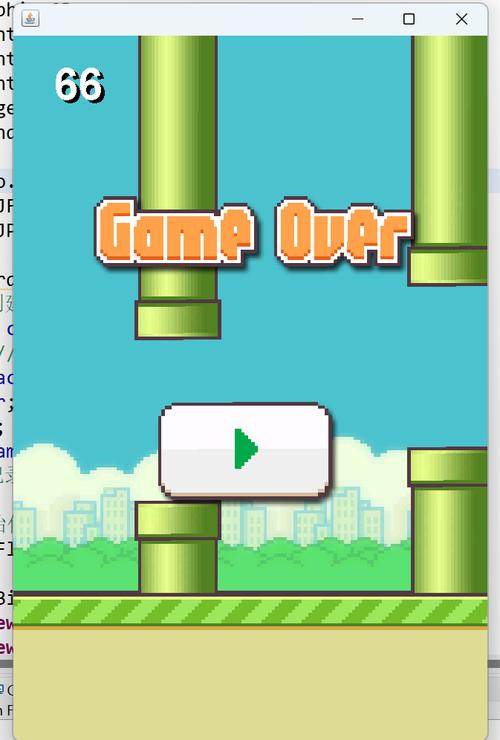
            // Draw game over screen
            g2d.setColor(Color.RED);
            g2d.setFont(new Font("Arial", Font.BOLD, 50));
            g2d.drawString("Game Over", WIDTH / 2 - 120, HEIGHT / 2 - 50);
            g2d.setColor(Color.WHITE);
            g2d.setFont(new Font("Arial", Font.BOLD, 30));
            g2d.drawString("Score: " + score, WIDTH / 2 - 60, HEIGHT / 2);
            g2d.drawString("Press SPACE to Restart", WIDTH / 2 - 140, HEIGHT / 2 + 50);
        }
    }
    @Override
    public void actionPerformed(ActionEvent e) {
        if (!gameOver) {
            // --- Update Game State ---
            bird.update();
            // Update pipes and check for scoring
            for (int i = pipes.size() - 1; i >= 0; i--) {
                Pipe pipe = pipes.get(i);
                pipe.update();
                // Check for collision
                if (checkCollision(bird, pipe)) {
                    gameOver = true;
                }
                // Score point when bird passes a pipe
                if (pipe.getX() + pipe.getWidth() < bird.getX() && !pipe.isPassed()) {
                    score++;
                    pipe.setPassed(true);
                }
                // Remove pipes that are off-screen and add new ones
                if (pipe.getX() + pipe.getWidth() < 0) {
                    pipes.remove(i);
                    int newPipeX = pipes.get(pipes.size() - 1).getX() + PIPE_SPACING;
                    int topPipeHeight = random.nextInt(HEIGHT - PIPE_GAP - 100) + 50;
                    pipes.add(new Pipe(newPipeX, topPipeHeight, PIPE_GAP));
                }
            }
            // Check for ground/ceiling collision
            if (bird.getY() + bird.getRadius() > HEIGHT || bird.getY() - bird.getRadius() < 0) {
                gameOver = true;
            }
        }
        // Repaint the screen
        repaint();
    }
    private boolean checkCollision(Bird bird, Pipe pipe) {
        // Check if bird is within the horizontal bounds of the pipe
        if (bird.getX() + bird.getRadius() > pipe.getX() && bird.getX() - bird.getRadius() < pipe.getX() + pipe.getWidth()) {
            // Check if bird is within the vertical gap of the pipe
            if (bird.getY() - bird.getRadius() < pipe.getTopHeight() || bird.getY() + bird.getRadius() > pipe.getBottomPipeY()) {
                return true;
            }
        }
        return false;
    }
    @Override
    public void keyPressed(KeyEvent e) {
        if (e.getKeyCode() == KeyEvent.VK_SPACE) {
            if (gameOver) {
                resetGame();
            } else {
                bird.jump();
            }
        }
    }
    // --- Unimplemented KeyListener methods ---
    @Override public void keyTyped(KeyEvent e) {}
    @Override public void keyReleased(KeyEvent e) {}
    // --- Main Method to Run the Game ---
    public static void main(String[] args) {
        JFrame frame = new JFrame("Flappy Bird");
        FlappyBird game = new FlappyBird();
        frame.add(game);
        frame.pack();
        frame.setDefaultCloseOperation(JFrame.EXIT_ON_CLOSE);
        frame.setLocationRelativeTo(null); // Center the window
        frame.setResizable(false);
        frame.setVisible(true);
    }
}
Important Fix for Pipe.java:
The FlappyBird.java class calls pipe.isPassed() and pipe.setPassed(). We need to add this functionality to the Pipe class. Add these two methods and a boolean field to Pipe.java:
// Add this field to Pipe.java
private boolean passed;
// Add these methods to Pipe.java
public boolean isPassed() {
    return passed;
}
public void setPassed(boolean passed) {
    this.passed = passed;
}
// And make sure the constructor initializes it:
public Pipe(int x, int topHeight, int gap) {
    this.x = x;
    this.topHeight = topHeight;
    this.gap = gap;
    this.passed = false; // Initialize here
}
Step 5: How to Run the Game
- Make sure all three files (
FlappyBird.java,Bird.java,Pipe.java) are in the same package/directory. - Run the
mainmethod in theFlappyBird.javafile.
A window should appear. Press the Spacebar to make the bird jump and avoid the pipes!
Next Steps and Improvements
This is a great starting point. Here are some ways you can enhance the game:
- Images: Replace the colored shapes with actual images for the bird, pipes, and background. You would load them using
ImageIO.read()and draw them withg.drawImage(). - Sound Effects: Add sounds for jumping, scoring, and hitting a pipe using the
javax.sound.sampledpackage. - Menu Screen: Create a main menu screen with a "Start Game" button instead of the game starting immediately.
- High Score: Save the highest score to a file so it persists between game sessions.
- Physics Tweaks: Adjust the
gravity,jumpStrength, andspeedvalues to change the game's feel. - Scrolling Background: Make the background image or color subtly move to create a parallax effect.