Of course! This is a great question because the answer has evolved significantly over the years. Let's break down what "Java for browser" means, from the historical context to the modern reality.
The Short Answer
You cannot run traditional Java applications directly in a modern web browser.
The technology that enabled this, called the Java Plug-in (or Java Web Start), has been deprecated and removed from all major browsers (Chrome, Firefox, Edge, Safari) for security and performance reasons.
The Detailed History: From Applets to Today
To understand the current situation, it's crucial to know what came before.
The Old Way: Java Applets (1995 - ~2025)
This is what most people think of when they hear "Java in a browser."
-
What they were: Small, self-contained Java applications that were embedded directly into a web page using the
<applet>tag (later<object>). -
How they worked: The browser would use a Java Plug-in to run the applet inside a secure sandboxed environment. This sandbox prevented the applet from accessing your local files or network without explicit permission.
-
Why they were popular:
- Platform Independence: "Write once, run anywhere." An applet written for Windows would run on Mac or Linux without any changes.
- Rich Client-Side Functionality: Before JavaScript was powerful, applets could provide complex user interfaces, animations, and games that were difficult to achieve with HTML/CSS/JS alone.
- Enterprise Applications: They were used for complex data visualization, forms, and business logic in corporate intranets.
-
Why they died:
 (图片来源网络,侵删)
- Security Vulnerabilities: The sandbox was occasionally breached, leading to malware infections. As Java became less common, it became a bigger target for attackers.
- Performance: Starting a Java Virtual Machine (JVM) for every applet was slow and resource-intensive compared to running JavaScript in the browser's optimized engine.
- User Experience: Users were constantly nagged to install or update the Java Plug-in.
- The Rise of JavaScript: JavaScript (and later frameworks like Angular, React, and Vue.js) became incredibly powerful, fast, and could handle almost all client-side functionality that applets could. The need for a separate plug-in vanished.
The Transition: Java Web Start
- What it was: A technology that launched full-featured Java applications from a web link, but they ran in their own native window, not embedded in the browser.
- Status: Also deprecated and removed. It was a bridge between applets and modern desktop applications.
The Modern Ways to Use Java for the Web
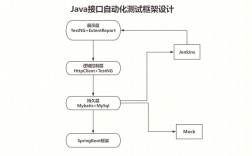
So, if Java isn't in the browser anymore, how is it used for web applications? The answer is: Java runs on the server. The browser only interacts with the server-side application.
This is the dominant and most robust architecture for building web applications today.
Server-Side Web Applications (The Modern Standard)
This is the most common and powerful way to use Java for the web.
-
How it works:
- The user interacts with a standard HTML/CSS/JavaScript front-end in their browser.
- The front-end makes requests (e.g., to load data, submit a form) to a server.
- A Java application running on that server receives the request.
- The Java application handles the business logic: connects to a database, performs calculations, etc.
- The Java application sends back a response, usually in a format the browser can understand, like JSON or HTML.
-
Key Technologies:
- Spring Boot: The de-facto standard for building modern Java web applications. It makes creating robust, production-ready servers incredibly easy.
- Jakarta EE (formerly Java EE): A set of specifications for building enterprise-grade applications. It includes APIs for web services, servlets, and more.
- Microservices: Many companies build large systems using small, independent Java microservices, each responsible for a specific part of the application (e.g., a user service, a product service).
-
Example Flow:
- You open an e-commerce website built with React (front-end).
- You click "Add to Cart."
- The React app sends a request to a Java Spring Boot backend API:
POST /api/cart/items. - The Java code receives the request, validates the item, saves it to a database (e.g., PostgreSQL), and returns a success message in JSON format.
- The React app receives the JSON and updates the cart icon in your browser.
Client-Side Compilation: GWT (Google Web Toolkit)
This is a fascinating, though less common, approach that bridges the gap between Java and JavaScript.
- How it works: You write your entire front-end application in Java. You then use the GWT compiler to translate your Java code into highly optimized, browser-compatible JavaScript.
- The Pros:
- Developers can use Java's strong typing, tooling (like IDE autocompletion), and structure to build complex front-ends.
- Avoids the quirks and inconsistencies of JavaScript.
- The Cons:
- You are limited to the subset of Java that GWT supports.
- The generated JavaScript can sometimes be harder to debug than hand-written code.
- The ecosystem is much smaller than for JavaScript frameworks.
Client-Side Transpilation: TeaVM
This is a modern, open-source alternative to GWT.
- How it works: Similar to GWT, it compiles Java bytecode to JavaScript. However, it aims to be more flexible and support a broader range of Java features.
- Status: It's an active project but hasn't gained the widespread adoption of GWT or the dominance of JavaScript frameworks.
Summary Table
| Technology | How it Works | Status | Use Case |
|---|---|---|---|
| Java Applets | Embedded <applet> tag runs Java code in the browser via a plug-in. |
Deprecated & Removed | Historical. Rich client-side UIs before JS was powerful. |
| Java Web Start | Launches a full Java app from a web link, running in its own window. | Deprecated & Removed | Historical. Desktop applications launched from the web. |
| Server-Side Java (Spring, Jakarta EE) | Java runs on the server, handling logic and database interactions. The browser displays HTML/JS/JSON. | Dominant & Recommended | Modern web applications. E-commerce, banking, SaaS, etc. |
| GWT / TeaVM | Write the front-end in Java, then compile it to JavaScript for the browser. | Niche / Emerging | Projects where developers prefer Java's strong typing for the front-end. |
Conclusion
For any new project, you should forget about running Java code inside the browser. The focus has shifted entirely to using Java's immense power and ecosystem on the server to build fast, secure, and scalable web applications.
If you want to build a web application, the best approach is:
- Front-End: Use a standard web technology stack like HTML, CSS, and JavaScript (or a framework like React, Vue, or Angular).
- Back-End: Use a Java framework like Spring Boot to create the server-side logic that your front-end will communicate with.