Of course! Creating a photomosaic in Python is a fantastic project that combines image processing, data manipulation, and a bit of creativity. It's a classic "fun" programming task.
Here’s a complete guide on how to create a photomosaic using Python, broken down into the concept, the algorithm, a full code example, and instructions on how to run it.
What is a Photomosaic?
A photomosaic is a larger image composed of many smaller images, called "tiles." The color and brightness of each tile are chosen to match the corresponding region of the main image, creating the illusion of the original image when viewed from a distance.
The Core Algorithm
The process can be broken down into these main steps:
-
Prepare Your "Tile" Images:
 (图片来源网络,侵删)
- You need a large collection of smaller images (hundreds or thousands is best). These can be anything: photos, icons, clip art, etc.
- We'll process all these tiles into a standard, small size (e.g., 20x20 pixels) and calculate their average color. This creates a "database" of color-to-image mappings.
-
Process the "Master" Image:
- Load the main image you want to recreate.
- Resize this master image to the dimensions of your desired mosaic. For example, if you want a 50x50 tile mosaic, you'll resize the master image to be 50 tiles wide and 50 tiles high.
-
Create the Mosaic:
- Go through the resized master image, one tile-sized region at a time.
- For each region, calculate its average color.
- Look up this average color in your pre-computed tile database to find the best matching tile image.
- Place this best-matching tile image into the corresponding position in your final mosaic canvas.
-
Assemble and Save:
- Combine all the placed tiles into a single large image.
- Save the final result.
Prerequisites (Libraries)
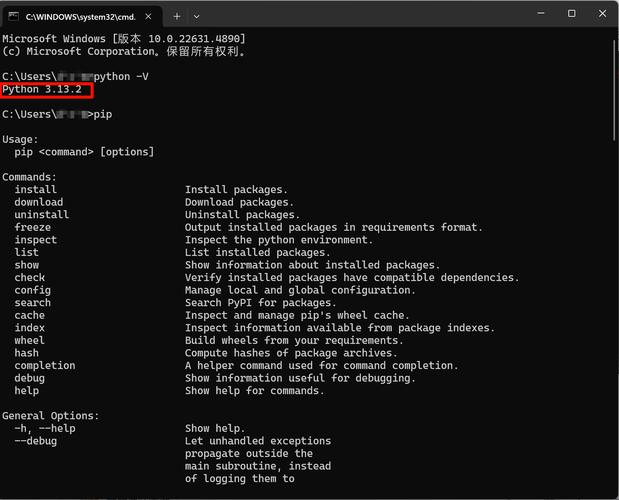
You'll need to install a few Python libraries. Open your terminal or command prompt and run:
pip install numpy opencv-python Pillow
- NumPy: For efficient numerical operations, especially for calculating average colors and handling image data as arrays.
- OpenCV (
cv2): A powerful library for all things computer vision. We'll use it primarily for reading images and resizing them efficiently. - Pillow (
PIL): A user-friendly library for image manipulation. We'll use it to create the final canvas and save the image.
Full Python Code Example
This script is well-commented to help you understand each part. Save it as create_mosaic.py.
import cv2
import numpy as np
from PIL import Image
import os
import glob
# --- Configuration ---
# Path to the directory containing your tile images
TILE_DIR = 'tiles'
# Path to the master image you want to recreate
MASTER_IMAGE_PATH = 'master_image.jpg'
# Size of each tile in the mosaic (e.g., 20 means 20x20 pixels)
TILE_SIZE = 20
# The dimensions of the mosaic in terms of number of tiles (e.g., 100x100 tiles)
# If set to (0, 0), it will be calculated based on the master image aspect ratio and TILE_SIZE.
MOSAIC_DIMS = (0, 0)
# Output file name
OUTPUT_PATH = 'mosaic_result.png'
def create_mosaic():
    """
    Main function to generate the photomosaic.
    """
    # 1. SETUP AND VALIDATION
    if not os.path.exists(TILE_DIR):
        print(f"Error: Tile directory '{TILE_DIR}' not found.")
        print("Please create it and fill it with images.")
        return
    tile_paths = glob.glob(os.path.join(TILE_DIR, '*.[pP][nN][gG]')) + \
                 glob.glob(os.path.join(TILE_DIR, '*.[jJ][pP][gG]')) + \
                 glob.glob(os.path.join(TILE_DIR, '*.[jJ][pP][eE][gG]'))
    if not tile_paths:
        print(f"Error: No images found in '{TILE_DIR}'.")
        return
    print(f"Found {len(tile_paths)} tile images. Pre-processing...")
    # 2. PRE-PROCESS TILE IMAGES
    # Create a database of average colors and corresponding image paths
    tile_db = {}
    for path in tile_paths:
        try:
            # Read image, resize, and calculate average color
            img = cv2.imread(path)
            if img is None:
                continue # Skip corrupted images
            resized_img = cv2.resize(img, (TILE_SIZE, TILE_SIZE))
            avg_color = np.mean(resized_img, axis=(0, 1))
            # Convert to a tuple to use as a dictionary key
            avg_color_tuple = tuple(avg_color)
            tile_db[avg_color_tuple] = path
        except Exception as e:
            print(f"Could not process {path}: {e}")
            continue
    if not tile_db:
        print("Error: No valid tile images could be processed.")
        return
    print(f"Successfully processed {len(tile_db)} tiles.")
    # 3. PROCESS MASTER IMAGE
    print(f"Processing master image: {MASTER_IMAGE_PATH}")
    master_img = cv2.imread(MASTER_IMAGE_PATH)
    if master_img is None:
        print(f"Error: Could not read master image at '{MASTER_IMAGE_PATH}'.")
        return
    # Determine mosaic dimensions
    if MOSAIC_DIMS[0] > 0 and MOSAIC_DIMS[1] > 0:
        mosaic_width_tiles, mosaic_height_tiles = MOSAIC_DIMS
    else:
        # Calculate based on aspect ratio and a desired size
        # For example, target a width of 800 pixels
        target_width_px = 800
        mosaic_width_tiles = target_width_px // TILE_SIZE
        aspect_ratio = master_img.shape[1] / master_img.shape[0]
        mosaic_height_tiles = int(mosaic_width_tiles / aspect_ratio)
    # Resize master image to match tile grid
    resized_master = cv2.resize(master_img, (mosaic_width_tiles * TILE_SIZE, mosaic_height_tiles * TILE_SIZE))
    # Create a blank canvas for the final mosaic
    mosaic_h, mosaic_w = resized_master.shape[:2]
    mosaic_canvas = np.zeros((mosaic_h, mosaic_w, 3), dtype=np.uint8)
    print(f"Creating a {mosaic_width_tiles}x{mosaic_height_tiles} tile mosaic...")
    # 4. BUILD THE MOSAIC
    for y in range(mosaic_height_tiles):
        for x in range(mosaic_width_tiles):
            # Define the region of interest (ROI) on the master image
            x1 = x * TILE_SIZE
            y1 = y * TILE_SIZE
            x2 = x1 + TILE_SIZE
            y2 = y1 + TILE_SIZE
            roi = resized_master[y1:y2, x1:x2]
            # Calculate average color for this ROI
            avg_color_roi = np.mean(roi, axis=(0, 1))
            avg_color_roi_tuple = tuple(avg_color_roi)
            # Find the closest matching tile from our database
            # A simple approach is to find the color with the minimum Euclidean distance
            best_match_color = min(tile_db.keys(), key=lambda c: np.linalg.norm(np.array(c) - np.array(avg_color_roi_tuple)))
            best_tile_path = tile_db[best_match_color]
            # Load the best matching tile and place it on the canvas
            best_tile = cv2.imread(best_tile_path)
            mosaic_canvas[y1:y2, x1:x2] = best_tile
            # Print progress
            if (y * mosaic_width_tiles + x) % 100 == 0:
                print(f"Progress: {y * mosaic_width_tiles + x} / {mosaic_width_tiles * mosaic_height_tiles} tiles placed.")
    print("Mosaic creation complete!")
    # 5. SAVE THE RESULT
    # Convert from BGR (OpenCV) to RGB (Pillow) for saving
    mosaic_canvas_rgb = cv2.cvtColor(mosaic_canvas, cv2.COLOR_BGR2RGB)
    final_image = Image.fromarray(mosaic_canvas_rgb)
    final_image.save(OUTPUT_PATH)
    print(f"Final mosaic saved to '{OUTPUT_PATH}'")
if __name__ == '__main__':
    create_mosaic()
How to Run the Code
-
Set Up Your Project Directory: Create a folder for your project. Inside it, create a sub-folder named
tiles.photomosaic_project/ ├── create_mosaic.py └── tiles/ ├── tile1.jpg ├── tile2.png ├── icon_001.gif ... (add hundreds or thousands of images here) -
Get Your Images:
- Fill the
tilesfolder with as many images as you can. The more variety you have, the better the result will be. You can download free image packs, use your own photos, or even generate random colored squares. - Place the main image you want to recreate (e.g.,
master_image.jpg) in the mainphotomosaic_projectfolder.
- Fill the
-
Configure the Script:
- Open
create_mosaic.py. - Check the configuration variables at the top:
TILE_DIR: Should point to'tiles'.MASTER_IMAGE_PATH: Should match the name of your main image (e.g.,'master_image.jpg').TILE_SIZE: Adjust this for more detail (smaller values) or faster processing (larger values).20is a good starting point.MOSAIC_DIMS: Set this to(width_in_tiles, height_in_tiles)to fix the mosaic size. If you set it to(0, 0), it will automatically calculate a size based on your master image's aspect ratio and a target width (currently 800px).
- Open
-
Run from the Terminal: Navigate to your
photomosaic_projectdirectory in the terminal and run the script:python create_mosaic.py
The script will print its progress, and when it's done, you'll find the final mosaic image (
mosaic_result.png) in the same directory.
Enhancements and Advanced Topics
The basic algorithm is good, but you can make it much more sophisticated:
-
Better Color Matching:
- Color Histograms: Instead of just the average color, calculate the color histogram for each tile and the ROI. The best match is the tile whose histogram is most similar to the ROI's histogram. This captures color distribution, not just the average.
- Lab Color Space: Human perception of color is not linear. Converting images to the CIE-Lab color space before calculating distances can give more visually pleasing results.
-
Avoiding Repetition:
The simple algorithm might use the same popular tile (e.g., a blue sky) many times in a row. To fix this, you can keep a "usage log" for each tile and penalize tiles that have been used recently or too frequently.
-
Dithering and Blending:
- The edges between tiles can look sharp. You can apply a slight blur or a dithering effect to the final image to make the transitions smoother.
- A more advanced technique is "image blending," where you overlay the original tile image with a semi-transparent version of the corresponding ROI from the master image, helping the colors match better.
-
Performance Optimization:
- For very large tile databases, calculating the distance to every tile for every ROI is slow. You can use spatial data structures like a k-d tree to find the nearest neighbor (color) much more efficiently. The
scipy.spatial.KDTreelibrary is perfect for this.
- For very large tile databases, calculating the distance to every tile for every ROI is slow. You can use spatial data structures like a k-d tree to find the nearest neighbor (color) much more efficiently. The