Of course! The term "TreeElement" isn't a built-in class in Python's standard library, but it's a very common and useful concept in programming. It refers to a generic node in a tree data structure.
Let's break down what a TreeElement is, how to create one from scratch, and how to use it in a practical example.
What is a TreeElement?
A TreeElement (or a tree node) is an object that represents a single point in a tree structure. It typically contains:
- Data: The actual value or payload stored in the node (e.g., a number, a string, or a more complex object).
- Children: A list (or another iterable) of references to its child
TreeElementobjects. This is what connects the nodes and forms the tree structure. - (Optional) Parent: A reference to its parent
TreeElement. This is less common in simple implementations but can be useful for certain operations.
Here's a simple visual representation:
      Root (A)
     /   |   \
    B    C    D
   / \      \
  E   F      G
In this tree:
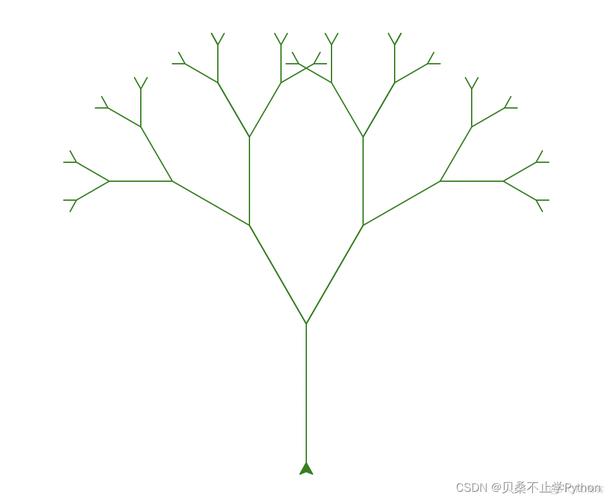
- The root element is
A. A's children areB,C, andD.B's children areEandF.D's child isG.E,F,C, andGare leaf nodes because they have no children.
A Basic TreeElement Class Implementation
Let's create a simple and flexible TreeElement class. We'll use type hints for clarity.
from typing import Any, List, Optional
class TreeElement:
    """
    A generic node in a tree structure.
    """
    def __init__(self, data: Any):
        """
        Initializes a new tree element.
        Args:
            data: The data to be stored in this node.
        """
        self.data = data
        self.children: List['TreeElement'] = []
        self.parent: Optional['TreeElement'] = None
    def add_child(self, child_node: 'TreeElement') -> None:
        """Adds a child node to this element."""
        self.children.append(child_node)
        child_node.parent = self  # Set the parent of the child
    def is_root(self) -> bool:
        """Checks if this element is the root of the tree (has no parent)."""
        return self.parent is None
    def is_leaf(self) -> bool:
        """Checks if this element is a leaf (has no children)."""
        return not self.children
    def __repr__(self) -> str:
        """
        Provides a developer-friendly string representation of the element.
        Shows the data and the number of children.
        """
        return f"TreeElement(data={self.data!r}, children={len(self.children)})"
    def __str__(self) -> str:
        """
        Provides a user-friendly string representation of the element.
        """
        return str(self.data)
Explanation:
__init__(self, data): The constructor takes any piece ofdataand initializes empty lists forchildrenand aparent.add_child(self, child_node): This is the core method for building the tree. It appends a child to thechildrenlist and, importantly, sets the child'sparentattribute. This bidirectional linking is very powerful.is_root()andis_leaf(): These are utility methods to check the node's position in the tree.__repr__and__str__: These "dunder" methods control how the object is displayed.__repr__is for developers (should ideally be valid Python code to recreate the object), while__str__is for end-users.
Example Usage: Building and Traversing a Tree
Let's use our TreeElement class to build the tree from the diagram above and then explore it.
# --- Building the Tree ---
# Create the root node
root = TreeElement("A")
# Create child nodes
b_node = TreeElement("B")
c_node = TreeElement("C")
d_node = TreeElement("D")
# Add children to the root
root.add_child(b_node)
root.add_child(c_node)
root.add_child(d_node)
# Create grandchildren
e_node = TreeElement("E")
f_node = TreeElement("F")
g_node = TreeElement("G")
# Add grandchildren to their parents
b_node.add_child(e_node)
b_node.add_child(f_node)
d_node.add_child(g_node)
# --- Traversing the Tree ---
def print_tree(element: TreeElement, level: int = 0):
    """
    Recursively prints the tree structure with indentation.
    """
    indent = "  " * level
    print(f"{indent}{element.data}")
    for child in element.children:
        print_tree(child, level + 1)
print("--- Full Tree Structure ---")
print_tree(root)
print("\n--- Checking Node Properties ---")
print(f"Is '{root.data}' a root? {root.is_root()}") # True
print(f"Is '{c_node.data}' a leaf? {c_node.is_leaf()}") # True
print(f"Is '{b_node.data}' a leaf? {b_node.is_leaf()}") # False
print(f"Parent of '{e_node.data}': {e_node.parent.data if e_node.parent else None}")
print(f"Parent of '{root.data}': {root.parent if root.parent else None}")
Output of the Example:
--- Full Tree Structure ---
A
  B
    E
    F
  C
  D
    G
--- Checking Node Properties ---
Is 'A' a root? True
Is 'C' a leaf? True
Is 'B' a leaf? False
Parent of 'E': B
Parent of 'A': None
More Advanced Features
The basic class is a great start. Here are some common additions you might want.
a) Depth and Height
- Depth: The number of edges from the node to the tree's root.
- Height: The number of edges on the longest path from the node to a leaf.
# Add these methods to the TreeElement class
def get_depth(self) -> int:
    """Calculates the depth of the node."""
    depth = 0
    current = self
    while current.parent:
        depth += 1
        current = current.parent
    return depth
def get_height(self) -> int:
    """Calculates the height of the node."""
    # A leaf has a height of 0
    if self.is_leaf():
        return 0
    # The height is 1 plus the maximum height of its children
    return 1 + max(child.get_height() for child in self.children)
# --- Usage ---
print(f"\n--- Advanced Properties ---")
print(f"Depth of 'E': {e_node.get_depth()}") # 2
print(f"Depth of 'A': {root.get_depth()}")   # 0
print(f"Height of 'A': {root.get_height()}") # 2
print(f"Height of 'B': {b_node.get_height()}") # 1
b) Finding an Element
A useful method is finding a node by its data.
# Add this method to the TreeElement class
def find(self, data_to_find: Any) -> Optional['TreeElement']:
    """
    Recursively searches for an element with the given data.
    Returns the first matching element found, or None if not found.
    """
    if self.data == data_to_find:
        return self
    for child in self.children:
        found_node = child.find(data_to_find)
        if found_node:
            return found_node
    return None
# --- Usage ---
print(f"\n--- Finding Elements ---")
found_d = root.find("D")
if found_d:
    print(f"Found node: {found_d}")
    print(f"Children of 'D': {[child.data for child in found_d.children]}")
found_x = root.find("X")
print(f"Found node 'X'? {found_x}") # None
When to Use a TreeElement
Tree structures are fundamental for representing hierarchical data. Common use cases include:
- File Systems: Directories and files.
- Organizational Charts: Employees and their managers.
- XML/HTML DOM: The structure of a web page.
- Decision Trees: Used in machine learning for classification.
- JSON Data: The structure of JSON objects is inherently tree-like.
- Game AI: Representing possible moves in a game like chess or Go.
Summary
Creating a TreeElement class is a fantastic exercise in understanding data structures and object-oriented programming. The key components are data, children, and optionally a parent. By building simple methods to manipulate and traverse these elements, you can model a vast array of real-world hierarchical problems.