Of course! Converting an int to a byte in Java is a fundamental operation, but it's crucial to understand how it works to avoid unexpected bugs. It's not a simple, safe conversion because an int is 32 bits and a byte is only 8 bits.
Here’s a complete guide covering the mechanics, the Java code, and the important caveats.
The Core Concept: Truncation
When you convert a larger integer type (like int) to a smaller one (like byte), Java doesn't perform rounding or checking for overflow. Instead, it performs truncation.
This means it simply discards the higher-order bits that don't fit into the smaller type.
- An
intis 32 bits:00000000 00000000 00000000 00000000 - A
byteis 8 bits:00000000
When you cast an int to a byte, only the last 8 bits of the int are kept, and those are placed into the byte.

How to Do It: The Cast Operator
The syntax for conversion in Java is the cast operator: (targetType) value.
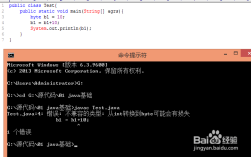
int myInt = 130;
byte myByte = (byte) myInt; // This is the cast
System.out.println("Original int: " + myInt);
System.out.println("Converted byte: " + myByte);
The Problem: Overflow and Negative Numbers
This is the most important part to understand. Because of truncation, numbers that are outside the range of a byte will not cause an error. Instead, they will "wrap around".
The valid range for a byte is -128 to 127.
Let's see what happens with some examples:

Example 1: Value Within byte Range
If the int value is already within the -128 to 127 range, the conversion is straightforward.
int positiveInt = 75;
int negativeInt = -25;
byte positiveByte = (byte) positiveInt;
byte negativeByte = (byte) negativeInt;
System.out.println((int)positiveByte); // Output: 75 (Correct)
System.out.println((int)negativeByte); // Output: -25 (Correct)
75in binary (last 8 bits):01001011-> This is75in abyte.-25in binary (last 8 bits):11100111(This is the two's complement representation for -25).
Example 2: Value Exceeds byte Range (Positive Overflow)
Let's use 130. The byte range only goes up to 127.
int largeInt = 130;
byte resultByte = (byte) largeInt;
System.out.println("Original int: " + largeInt);
System.out.println("Converted byte: " + resultByte);
Output:
Original int: 130
Converted byte: -126
Why?
- Binary of 130 (as an int):
00000000 00000000 00000000 10000010 - Truncate to 8 bits: We only keep the last 8 bits:
10000010. - Interpret as a
byte: In Java,byteis a signed type. The leftmost bit (1) is the sign bit, indicating a negative number. To find its value, we use the two's complement method:- Invert the bits:
01111101 - Add 1:
01111110 01111110in binary is126in decimal.- Since the original sign bit was
1, the final value is -126.
- Invert the bits:
This "wrapping around" from 127 to -128 is called integer overflow.
Example 3: Value Exceeds byte Range (Negative Overflow)
The same thing happens for numbers below -128.
int verySmallInt = -150;
byte resultByte = (byte) verySmallInt;
System.out.println("Original int: " + verySmallInt);
System.out.println("Converted byte: " + resultByte);
Output:
Original int: -150
Converted byte: 106
Why?
- Binary of -150 (as an int):
11111111 11111111 11111111 00010110(This is the two's complement representation) - Truncate to 8 bits: We only keep the last 8 bits:
00010110. - Interpret as a
byte: The leftmost bit is0, so it's a positive number.00010110in binary is 106 in decimal.
Best Practices and Safer Alternatives
Manually casting and handling the wrap-around can be error-prone. Here are better approaches depending on your goal.
If You Want to Clamp the Value (Throw an Error)
If the int is outside the byte range, it's likely a logic error. You should throw an exception.
public static byte toByteSafely(int value) {
    if (value < Byte.MIN_VALUE || value > Byte.MAX_VALUE) {
        throw new IllegalArgumentException("int value " + value + " is out of byte range.");
    }
    return (byte) value;
}
// Usage
try {
    byte b = toByteSafely(130); // This will throw an exception
} catch (IllegalArgumentException e) {
    System.out.println("Error: " + e.getMessage()); // Error: int value 130 is out of byte range.
}
If You Want to Clamp the Value (Silently)
If you want to force the value into the byte range without throwing an error, you can manually clamp it first.
public static byte toByteClamped(int value) {
    if (value > Byte.MAX_VALUE) {
        return Byte.MAX_VALUE; // 127
    }
    if (value < Byte.MIN_VALUE) {
        return Byte.MIN_VALUE; // -128
    }
    return (byte) value;
}
// Usage
int value1 = 300;
int value2 = -500;
int value3 = 50;
System.out.println(toByteClamped(value1)); // Output: 127
System.out.println(toByteClamped(value2)); // Output: -128
System.out.println(toByteClamped(value3)); // Output: 50
If You Want the Unsigned Behavior
Sometimes, you might not care about the signed "wrap-around" and just want the raw 8 bits interpreted as an unsigned number (0-255). For this, you can convert the byte back to an int after casting.
int unsignedInt = 130;
byte signedByte = (byte) unsignedInt;
// To get the "unsigned" value (0-255)
int unsignedValue = signedByte & 0xFF;
System.out.println("Signed byte: " + signedByte); // -126
System.out.println("Unsigned int: " + unsignedValue); // 130
The & 0xFF operation masks the byte (which is sign-extended to 32 bits when promoted to an int) to get the correct 8-bit unsigned value.
Summary
| Method | Code | Behavior | When to Use |
|---|---|---|---|
| Direct Cast | (byte) myInt |
Truncates bits, causing signed overflow (wrapping). | When you explicitly want or expect the wrap-around behavior (e.g., in low-level bit manipulation). |
| Safe Conversion | if (value >= -128 && value <= 127) return (byte)value; else throw ... |
Throws an exception if the value is out of range. | When the int value must be within the byte range, and an out-of-range value indicates a programming error. |
| Clamped Conversion | if (value > 127) return 127; if (value < -128) return -128; return (byte)value; |
Forcibly limits the value to the byte range. |
When you want to bring any number into the valid byte range without failing. |
| Unsigned Interpretation | (byte) myInt & 0xFF |
Interprets the 8 bits as an unsigned number (0-255). | When you are working with data that is conceptually 8-bit unsigned, like network protocols or file formats. |