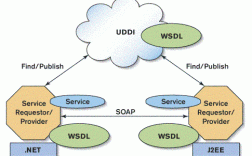
- 传统方式 (JAX-WS / Axis):适用于基于 SOAP 协议的、比较传统的 WebService。
- 现代方式 (RestTemplate / OkHttp + JSON):适用于基于 RESTful 架构和 HTTP 协议的、返回 JSON 数据的现代 WebService API,现在绝大多数新项目都属于这一类。
下面我将详细介绍这两种主流方式,并提供完整的代码示例。
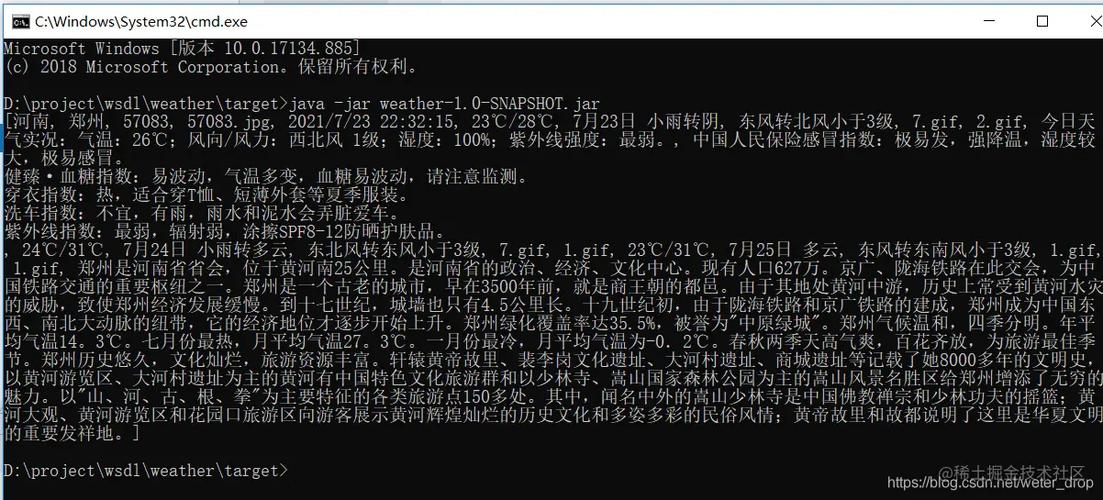
调用传统的 SOAP WebService (使用 JAX-WS)
这种方式是 Java 调用 SOAP WebService 的标准方式,它不需要引入第三方库,JDK 自带 wsimport 工具可以帮你生成客户端代码。
适用场景
- 对方提供的是一个
.wsdl文件。 - 通信协议是 SOAP (Simple Object Access Protocol)。
- 数据格式是 XML。
调用步骤
第一步:使用 wsimport 生成客户端代码
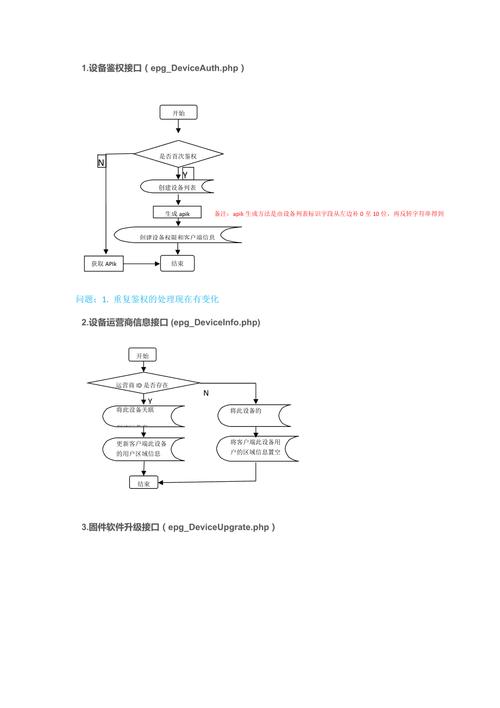
wsimport 是 JDK 自带的命令行工具,用于根据 WSDL 文件生成 Java 客户端代码。
-
打开命令行(CMD 或 PowerShell)。
 (图片来源网络,侵删)
 -
执行以下命令:
# -keep: 生成源代码
# -d: 指定编译后的 .class 文件存放目录
# -p: 指定生成的包名
# wsdlLocation: 指定 WSDL 文件的最终访问地址(非常重要,避免生成代码写死本地路径)
wsimport -keep -d . -p com.example.client http://www.webxml.com.cn/WebServices/WeatherWebService.asmx?wsdl
执行成功后,你会在指定的目录下看到一个
com/example/client包,里面包含了很多.java文件(如WeatherWebService、WeatherWebServiceSoap等)和一个jaxb.index文件。
第二步:将生成的代码引入你的项目
你可以将上一步生成的 .java 文件直接复制到你的项目中,或者将编译后的 .class 文件打包成 JAR 引入。
第三步:编写 Java 代码调用服务
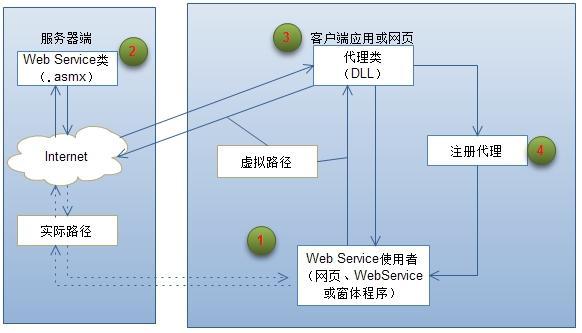
生成的代码中通常会有一个 XXX(服务名)和一个 XXX(端口名,通常是 XXXSoap)接口,你需要通过 XXX 实例来获取 XXXSoap 接口的代理对象,然后调用其方法。
完整示例
假设我们要调用一个天气查询的 WebService。
package com.example.client;
public class WeatherClient {
    public static void main(String[] args) {
        // 1. 创建服务视图对象 (WeatherWebService)
        // 这个类是 wsimport 生成的,用于获取服务的端口
        WeatherWebService service = new WeatherWebService();
        // 2. 获取服务端点接口 (WeatherWebServiceSoap)
        // 这个接口包含了 WSDL 中定义的所有操作
        WeatherWebServiceSoap port = service.getWeatherWebServiceSoap();
        // 3. 调用接口方法,传入参数
        // 参数类型也是 wsimport 生成的
        String cityCode = "北京";
        String result = port.getWeather(cityCode, null);
        // 4. 处理返回结果
        System.out.println("查询结果:");
        System.out.println(result);
    }
}
优点:
- 标准、官方,无需额外依赖。
- 强类型,编译时就能检查参数错误。
- IDE(如 IntelliJ IDEA)通常可以自动帮你完成
wsimport和代码生成。
缺点:
- 仅支持 SOAP 协议,灵活性差。
- 生成的代码可能很庞大,不易维护。
- 对于简单的数据交互,过于笨重。
调用现代的 RESTful WebService (使用 Spring Boot + RestTemplate)
这是目前最主流、最灵活的方式,绝大多数新的 WebService API 都是基于 RESTful 风格的,通过 HTTP 协议传输 JSON 数据。
适用场景
- 对方提供的是一个 URL 接口(如
https://api.example.com/users)。 - 使用 HTTP 方法(GET, POST, PUT, DELETE)。
- 数据交互格式是 JSON。
调用步骤
第一步:创建 Spring Boot 项目
使用 Spring Initializr (https://start.spring.io/) 创建一个新项目,并添加 Spring Web 依赖,这个依赖会自动包含 RestTemplate。
第二步:编写调用代码
RestTemplate 是 Spring 提供的一个强大、便捷的 HTTP 客户端工具。
完整示例
假设我们要调用一个公开的 API(如 http://numbersapi.com/42)来获取关于数字42的趣味信息。
定义一个用于接收 JSON 数据的实体类 (POJO)
// 根据返回的 JSON 结构创建对应的 Java 类
// {"text":"42 is the answer to the ultimate question of life, the universe and everything.","number":42,"found":true,"type":"trivia"}
public class NumberFact {
    private String text;
    private int number;
    private boolean found;
    private String type;
    // 必须要有无参构造函数
    public NumberFact() {}
    // Getters and Setters
    public String getText() { return text; }
    public void setText(String text) { this.text = text; }
    public int getNumber() { return number; }
    public void setNumber(int number) { this.number = number; }
    public boolean isFound() { return found; }
    public void setFound(boolean found) { this.found = found; }
    public String getType() { return type; }
    public void setType(String type) { this.type = type; }
    @Override
    public String toString() {
        return "NumberFact{" +
                "text='" + text + '\'' +
                ", number=" + number +
                ", found=" + found +
                ", type='" + type + '\'' +
                '}';
    }
}
创建一个 Service 类来封装调用逻辑
import org.springframework.stereotype.Service;
import org.springframework.web.client.RestTemplate;
@Service
public class ApiService {
    // 注入 RestTemplate
    @Autowired
    private RestTemplate restTemplate;
    // 定义 API 的 URL
    private static final String API_URL = "http://numbersapi.com/{number}";
    /**
     * 获取数字的趣味事实
     * @param number 想查询的数字
     * @return 包含事实信息的 NumberFact 对象
     */
    public NumberFact getNumberFact(int number) {
        // 使用 RestTemplate 发送 GET 请求
        // URL 中的 {number} 会被方法参数 number 替换
        // NumberFact.class 告诉 RestTemplate 将返回的 JSON 自动解析成 NumberFact 对象
        NumberFact fact = restTemplate.getForObject(API_URL, NumberFact.class, number);
        return fact;
    }
}
创建一个 Controller 来暴露接口进行测试
import org.springframework.beans.factory.annotation.Autowired;
import org.springframework.web.bind.annotation.GetMapping;
import org.springframework.web.bind.annotation.PathVariable;
import org.springframework.web.bind.annotation.RequestMapping;
import org.springframework.web.bind.annotation.RestController;
@RestController
@RequestMapping("/api")
public class ApiController {
    @Autowired
    private ApiService apiService;
    @GetMapping("/fact/{number}")
    public String getFact(@PathVariable int number) {
        NumberFact fact = apiService.getNumberFact(number);
        return fact != null ? fact.toString() : "未找到相关信息";
    }
}
配置 RestTemplate
在 Spring Boot 的主启动类或一个配置类中,添加 @Bean 来配置 RestTemplate。
import org.springframework.boot.SpringApplication;
import org.springframework.boot.autoconfigure.SpringBootApplication;
import org.springframework.context.annotation.Bean;
import org.springframework.web.client.RestTemplate;
@SpringBootApplication
public class WebServiceApplication {
    public static void main(String[] args) {
        SpringApplication.run(WebServiceApplication.class, args);
    }
    // 将 RestTemplate 注册为一个 Bean
    @Bean
    public RestTemplate restTemplate() {
        return new RestTemplate();
    }
}
运行并测试
启动你的 Spring Boot 应用,然后访问 http://localhost:8080/api/fact/42,你就能在浏览器中看到返回的 JSON 数据被解析成的字符串。
发送 POST 请求示例
// 在 ApiService 中添加一个发送 POST 请求的方法
public User createUser(User user) {
    String postUrl = "https://example.com/api/users";
    // User.class 是期望返回的类型
    // user 是要发送的请求体对象
    User createdUser = restTemplate.postForObject(postUrl, user, User.class);
    return createdUser;
}
优点:
- 灵活性极高,适用于任何 HTTP 接口。
- 基于 JSON,数据结构清晰,易于阅读和解析。
- 与 Spring 生态系统无缝集成,是现代 Java 开发的首选。
缺点:
- 需要处理 JSON 和 Java 对象之间的转换(需要 Jackson 或 Gson 等库支持,Spring Web 已自带)。
- 需要手动处理 HTTP 状态码、错误、请求头等,比 JAX-WS 更底层。