Of course! Here is a comprehensive guide to ArrayList in Java, covering everything from the basics to advanced topics.
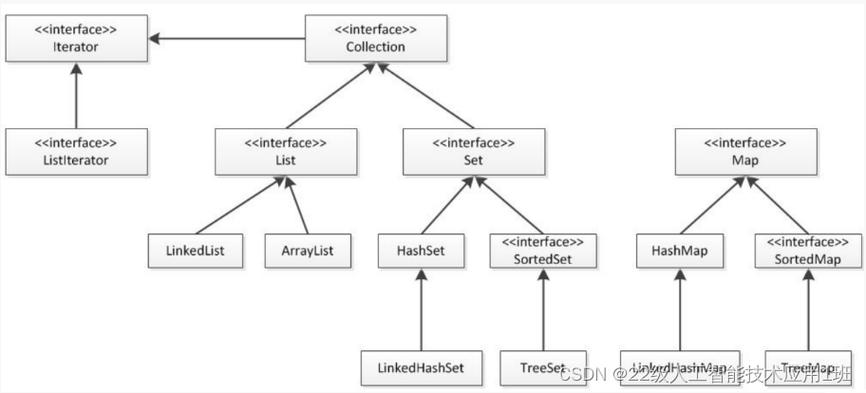
What is an ArrayList?
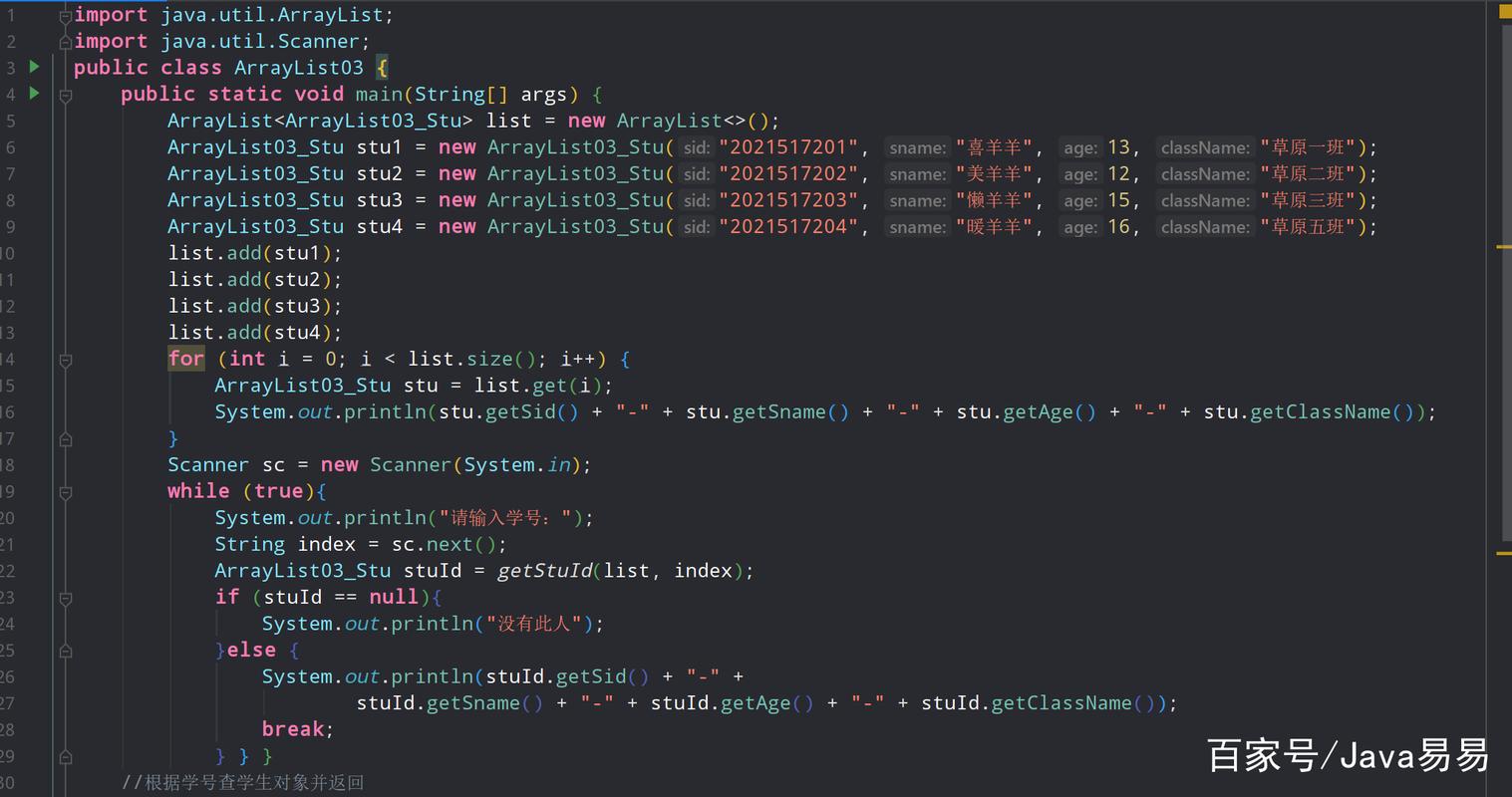
An ArrayList is a part of Java's Collection Framework. It's a resizable array, meaning that it can grow and shrink in size dynamically. Unlike a standard array in Java (which has a fixed size), an ArrayList provides much more flexibility.
Key Characteristics:
- Resizable: Its size can be changed after it's created.
- Ordered: Elements are stored in the order they are added.
- Allows Duplicates: You can store multiple
nullvalues and duplicate elements. - Not Synchronized: It is not thread-safe. If multiple threads try to modify an
ArrayListconcurrently, you must synchronize it externally. - Performance: Offers fast random access (get/set operations) but slower insertions and deletions in the middle of the list.
How to Create an ArrayList
You must import the ArrayList class from the java.util package.
import java.util.ArrayList;
// 1. Create an ArrayList of Strings
ArrayList<String> stringList = new ArrayList<>();
// 2. Create an ArrayList of Integers (using the wrapper class)
ArrayList<Integer> integerList = new ArrayList<>();
// 3. Create an ArrayList with an initial capacity
// This can be more efficient if you know the approximate size
ArrayList<Double> doubleList = new ArrayList<>(20); // Initial capacity of 20
// 4. Create an ArrayList from another collection (e.g., another ArrayList)
ArrayList<String> newList = new ArrayList<>(stringList);
Basic Operations (CRUD)
Add Elements (add())
You can add elements to the end of the list or at a specific index.
ArrayList<String> fruits = new ArrayList<>();
// Add to the end of the list
fruits.add("Apple");
fruits.add("Banana");
fruits.add("Orange");
System.out.println(fruits); // [Apple, Banana, Orange]
// Add at a specific index (shifts subsequent elements to the right)
fruits.add(1, "Mango");
System.out.println(fruits); // [Apple, Mango, Banana, Orange]
Access Elements (get())
Access elements by their zero-based index.
String firstFruit = fruits.get(0);
System.out.println("First fruit: " + firstFruit); // First fruit: Apple
String secondFruit = fruits.get(1);
System.out.println("Second fruit: " + secondFruit); // Second fruit: Mango
Update Elements (set())
Change the element at a specific index.
// Change the element at index 2 from "Banana" to "Grape"
fruits.set(2, "Grape");
System.out.println(fruits); // [Apple, Mango, Grape, Orange]
Remove Elements (remove())
You can remove an element by its index or by its value.
// Remove by index
fruits.remove(0); // Removes "Apple"
System.out.println(fruits); // [Mango, Grape, Orange]
// Remove by value (removes the first occurrence)
fruits.remove("Grape");
System.out.println(fruits); // [Mango, Orange]
Check for an Element (contains())
Returns true if the list contains the specified element.
boolean hasOrange = fruits.contains("Orange");
System.out.println("Contains Orange? " + hasOrange); // Contains Orange? true
boolean hasApple = fruits.contains("Apple");
System.out.println("Contains Apple? " + hasApple); // Contains Apple? false
Get the Size (size())
Returns the number of elements in the list.
int size = fruits.size();
System.out.println("Size of the list: " + size); // Size of the list: 2
Commonly Used Methods
| Method | Description |
|---|---|
add(E element) |
Appends the specified element to the end of the list. |
add(int index, E element) |
Inserts the element at the specified position. |
get(int index) |
Returns the element at the specified position. |
set(int index, E element) |
Replaces the element at the specified position with the given element. |
remove(int index) |
Removes the element at the specified position. |
remove(Object o) |
Removes the first occurrence of the specified element. |
size() |
Returns the number of elements in the list. |
isEmpty() |
Returns true if the list contains no elements. |
clear() |
Removes all elements from the list. |
contains(Object o) |
Returns true if the list contains the specified element. |
indexOf(Object o) |
Returns the index of the first occurrence of the element, or -1 if not found. |
lastIndexOf(Object o) |
Returns the index of the last occurrence of the element, or -1 if not found. |
toArray() |
Returns an array containing all elements in the list. |
Iterating Over an ArrayList
There are several ways to loop through an ArrayList.
For-Each Loop (Recommended)
This is the most common and readable way.
ArrayList<String> colors = new ArrayList<>();
colors.add("Red");
colors.add("Green");
colors.add("Blue");
System.out.println("--- Using For-Each Loop ---");
for (String color : colors) {
    System.out.println(color);
}
Using an Iterator
Useful when you need to remove elements while iterating.
System.out.println("\n--- Using Iterator ---");
Iterator<String> iterator = colors.iterator();
while (iterator.hasNext()) {
    String color = iterator.next();
    if (color.equals("Green")) {
        iterator.remove(); // Safe removal
    }
    System.out.println(color);
}
System.out.println("After removal: " + colors); // [Red, Blue]
Using a Classic For Loop
Gives you access to the index, which can be useful.
System.out.println("\n--- Using Classic For Loop ---");
for (int i = 0; i < colors.size(); i++) {
    System.out.println("Color at index " + i + ": " + colors.get(i));
}
ArrayList vs. LinkedList
| Feature | ArrayList |
LinkedList |
|---|---|---|
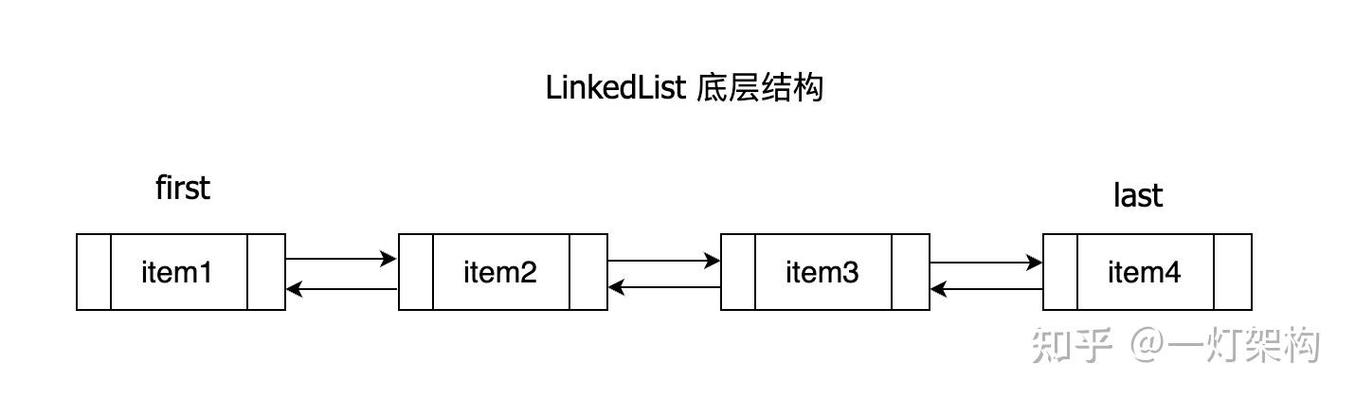
| Internal Structure | Dynamic array. | Doubly-linked list of nodes. |
Random Access (get(i)) |
Very Fast (O(1)). Directly calculates memory address. | Slow (O(n)). Must traverse from head or tail. |
| Insertion/Deletion | Slow (O(n)) in the middle (needs to shift elements). | Fast (O(1)) if position is known (just change pointers). |
| Memory Usage | Less memory overhead (no pointers to next/prev). | More memory overhead (stores data + two pointers per node). |
| Best For | Frequent reading/accessing, infrequent modifications. | Frequent insertions/deletions at both ends. |
ArrayList vs. Arrays
| Feature | ArrayList |
Array (int[]) |
|---|---|---|
| Size | Dynamic (Resizable). | Fixed. Must know size at creation. |
| Data Types | Stores objects (e.g., Integer, String). |
Can store primitive types (int, char) or objects. |
| Methods | Rich set of utility methods (add, remove, size, etc.). |
Very few methods (length property). Methods are in java.util.Arrays. |
| Performance | Slightly slower due to object overhead and resizing. | Very fast, direct memory access. |
| Generics | Supports generics for type safety. | Supports "generic arrays" but with limitations (e.g., new T[]). |
Advanced: Converting to/from Arrays
ArrayList to Array
ArrayList<String> names = new ArrayList<>();
names.add("Alice");
names.add("Bob");
// Method 1: Create a new array of the correct type
String[] nameArray1 = names.toArray(new String[0]);
System.out.println(Arrays.toString(nameArray1)); // [Alice, Bob]
// Method 2: Create an array of the exact size
String[] nameArray2 = names.toArray(new String[names.size()]);
Array to ArrayList
⚠️ Important: This is a common pitfall.
String[] array = {"Cat", "Dog", "Bird"};
// This creates a List that is a VIEW of the original array.
// Changes to the list affect the array, and vice-versa.
List<String> list1 = Arrays.asList(array);
// list1.add("Fish"); // Throws UnsupportedOperationException: list is fixed-size
// To create a fully modifiable ArrayList, you must create a new one.
ArrayList<String> list2 = new ArrayList<>(Arrays.asList(array));
list2.add("Fish"); // This works!
System.out.println(list2); // [Cat, Dog, Bird, Fish]
Thread Safety
ArrayList is not synchronized. If you use it in a multi-threaded environment where multiple threads can modify it, you can get a ConcurrentModificationException or other unpredictable behavior.
To make it thread-safe, you can use the Collections.synchronizedList() wrapper.
ArrayList<String> unsafeList = new ArrayList<>();
// ... add elements
// Create a synchronized (thread-safe) version
List<String> synchronizedList = Collections.synchronizedList(unsafeList);
// When iterating, you must manually synchronize on the list
synchronized (synchronizedList) {
    Iterator<String> i = synchronizedList.iterator();
    while (i.hasNext()) {
        // ... do something
    }
}
For better performance in concurrent applications, consider using CopyOnWriteArrayList.