Of course! The $in operator in MongoDB is a powerful query operator that selects documents where the value of a field equals any value in a specified array. It's the equivalent of the SQL IN clause.
In Java, when using the official MongoDB Java Driver, you construct this query using the Filters helper class.
What is the $in Operator? (The Concept)
The $in operator allows you to specify multiple possible values for a field. A document will be returned if the field's value matches any of the values you provide.
MongoDB Shell Example:
Imagine a users collection:
{ "_id": 1, "name": "Alice", "status": "active" }
{ "_id": 2, "name": "Bob", "status": "inactive" }
{ "_id": 3, "name": "Charlie", "status": "pending" }
{ "_id": 4, "name": "David", "status": "active" }
To find all users whose status is either "active" or "pending", you would use:
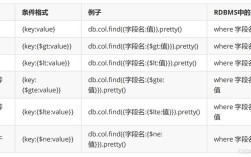
db.users.find({ status: { $in: ["active", "pending"] } })
This would return the documents for Alice, Charlie, and David.
Using $in in Java with the MongoDB Driver
The modern, recommended way to build queries in the Java driver is using the Filters utility class. It provides a type-safe and readable way to construct query filters.
Step-by-Step Java Example
Let's build a complete, runnable Java example that demonstrates how to use the $in operator.
Prerequisites:
-
Have a MongoDB instance running.
-
Add the MongoDB Java Driver dependency to your project (e.g., for Maven):
<dependency>
    <groupId>org.mongodb</groupId>
    <artifactId>mongodb-driver-sync</artifactId>
    <version>4.11.1</version> <!-- Check for the latest version -->
</dependency>
Java Code:
import com.mongodb.client.*;
import com.mongodb.client.model.Filters;
import org.bson.Document;
public class MongoInOperatorExample {
    public static void main(String[] args) {
        // 1. Connect to MongoDB
        String uri = "mongodb://localhost:27017";
        try (MongoClient mongoClient = MongoClients.create(uri)) {
            MongoDatabase database = mongoClient.getDatabase("testDB");
            MongoCollection<Document> collection = database.getCollection("users");
            // --- Setup: Insert some sample data ---
            collection.insertOne(new Document("_id", 1).append("name", "Alice").append("status", "active"));
            collection.insertOne(new Document("_id", 2).append("name", "Bob").append("status", "inactive"));
            collection.insertOne(new Document("_id", 3).append("name", "Charlie").append("status", "pending"));
            collection.insertOne(new Document("_id", 4).append("name", "David").append("status", "active"));
            System.out.println("Sample data inserted.");
            // 2. Define the values for the $in operator
            // We want to find users with status "active" OR "pending"
            java.util.List<String> statusesToFind = java.util.Arrays.asList("active", "pending");
            // 3. Build the query filter using Filters.in()
            // The syntax is Filters.in("fieldName", value1, value2, ...)
            // or Filters.in("fieldName", list)
            Document queryFilter = new Document(Filters.in("status", statusesToFind));
            // 4. Execute the query
            System.out.println("\n--- Finding users with status 'active' or 'pending' ---");
            FindIterable<Document> findIterable = collection.find(queryFilter);
            // 5. Iterate over the results and print them
            try (MongoCursor<Document> cursor = findIterable.iterator()) {
                while (cursor.hasNext()) {
                    System.out.println(cursor.next().toJson());
                }
            }
            // --- Another example: Using $in with numbers ---
            System.out.println("\n--- Inserting more data for numeric example ---");
            collection.insertOne(new Document("_id", 101).append("product", "Laptop").append("category", 1));
            collection.insertOne(new Document("_id", 102).append("product", "Mouse").append("category", 2));
            collection.insertOne(new Document("_id", 103).append("product", "Keyboard").append("category", 3));
            collection.insertOne(new Document("_id", 104).append("product", "Webcam").append("category", 2));
            java.util.List<Integer> categoriesToFind = java.util.Arrays.asList(1, 2);
            Document numericQueryFilter = new Document(Filters.in("category", categoriesToFind));
            System.out.println("\n--- Finding products in category 1 or 2 ---");
            try (MongoCursor<Document> cursor = collection.find(numericQueryFilter).iterator()) {
                while (cursor.hasNext()) {
                    System.out.println(cursor.next().toJson());
                }
            }
        } catch (Exception e) {
            e.printStackTrace();
        }
    }
}
Explanation of the Java Code
-
Filters.in("fieldName", values...): This is the core method. It creates a filter document that represents the$inoperator.- The first argument,
"fieldName", is the name of the field you want to query (e.g.,"status"). - The subsequent arguments are the values you want to match against. You can pass them as separate arguments or as a
List,Set, orVarargsarray.
- The first argument,
-
collection.find(queryFilter): This method executes the query against the collection. You pass theDocumentcreated byFilters.in()to it. -
MongoCursor: This is the standard way to iterate over the results returned by afindoperation. Using atry-with-resourcesblock ensures the cursor is always closed, which is crucial for freeing up resources on the MongoDB server.
Combining $in with Other Operators
The $in operator is often used in conjunction with other logical operators like $and and $or.
Example: $and with $in
Find users who are active AND have an _id of either 1 or 4.
// Create a list of IDs to find
java.util.List<Integer> idsToFind = java.util.Arrays.asList(1, 4);
// Build the AND filter
Document andFilter = new Document(
    "$and",
    java.util.Arrays.asList(
        new Document("status", "active"),
        new Document(Filters.in("_id", idsToFind)) // Using Filters.in() here
    )
);
System.out.println("\n--- Finding active users with _id 1 or 4 ---");
try (MongoCursor<Document> cursor = collection.find(andFilter).iterator()) {
    while (cursor.hasNext()) {
        System.out.println(cursor.next().toJson());
    }
}
// Expected Output:
// { "_id" : 1, "name" : "Alice", "status" : "active" }
// { "_id" : 4, "name" : "David", "status" : "active" }
Example: $or with $in
Find users who are either inactive OR have a name of "Charlie".
Document orFilter = new Document(
    "$or",
    java.util.Arrays.asList(
        new Document("status", "inactive"),
        new Document("name", "Charlie")
    )
);
System.out.println("\n--- Finding inactive users OR user named Charlie ---");
try (MongoCursor<Document> cursor = collection.find(orFilter).iterator()) {
    while (cursor.hasNext()) {
        System.out.println(cursor.next().toJson());
    }
}
// Expected Output:
// { "_id" : 2, "name" : "Bob", "status" : "inactive" }
// { "_id" : 3, "name" : "Charlie", "status" : "pending" }
Important Considerations
- Performance: For large arrays of values, the
$inoperator can be slower than other queries like_id: { $in: [...] }because it may need to perform multiple index lookups. The order of values in the array can sometimes affect performance (the driver may try to optimize this). - Type Matching: All values in the
$inarray must be of the same BSON type as the field you are querying. For example, if thestatusfield is a string, your array must contain strings, not numbers. Mixing types will result in no matches. - Readability: Using the
Filtersclass is highly recommended over manually creatingDocumentobjects. It makes your code more readable, less error-prone, and helps the IDE provide better autocomplete support.