Of course! Let's break down range(3102) in Python.
Quick Answer
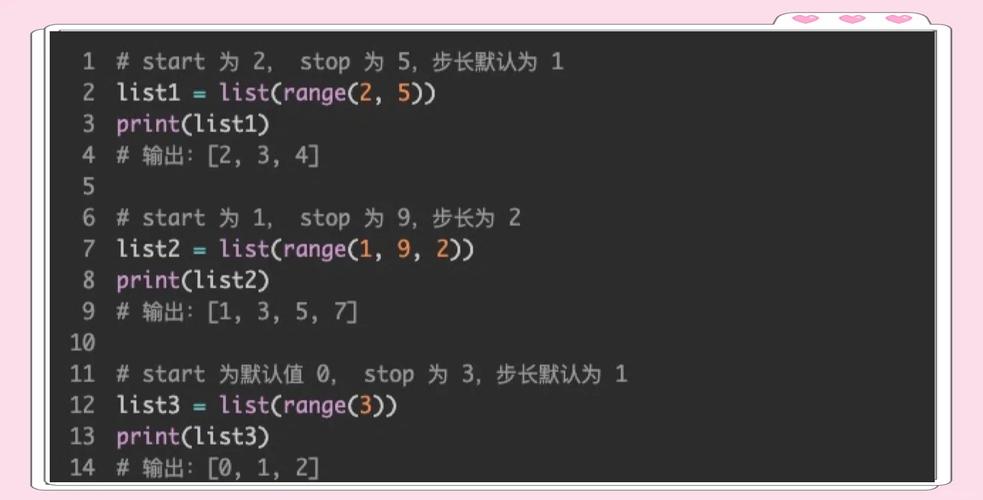
range(3102) generates a sequence of numbers starting from 0 and going up to, but not including, 3102.
This means it produces the integers from 0 to 3101, for a total of 3102 numbers.
Detailed Explanation
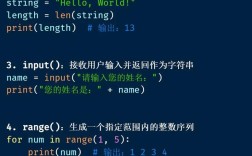
The range() function is a built-in Python function used to generate a sequence of numbers. It's very memory-efficient because it doesn't create a list of all the numbers in memory at once. Instead, it generates them on the fly as you need them.
The Basic Syntax: range(stop)
When you call range() with a single argument, like range(3102), that argument is the stop value.
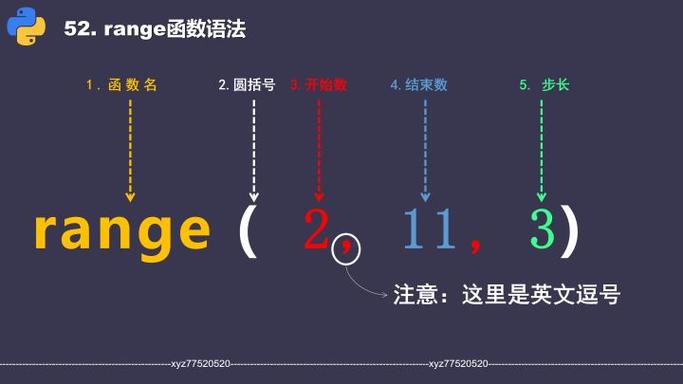
- Starts at:
0(this is the default) - Stops at:
3102(the number itself is not included) - Step:
1(it increments by 1, which is also the default)
So, the sequence is: 0, 1, 2, 3, ..., 3100, 3101.
How to See the Numbers
Since range(3102) itself is a sequence object (not a list), you can't just print it and see all the numbers.
# This will print the range object, not the numbers
my_range = range(3102)
print(my_range)
# Output: range(0, 3102)
To see the actual numbers, you need to convert it to a list or iterate over it (e.g., with a for loop).
Method A: Convert to a list (be careful with large numbers!)
This creates a list containing all 3102 numbers in your computer's memory. For range(3102), this is fine, but for range(1_000_000_000), it would use up a lot of RAM.
number_list = list(range(3102))
print(number_list)
# Output: [0, 1, 2, 3, ..., 3100, 3101]
You can also slice the list to see the beginning and end:
print("First 10 numbers:", list(range(3102))[:10])
# Output: First 10 numbers: [0, 1, 2, 3, 4, 5, 6, 7, 8, 9]
print("Last 10 numbers:", list(range(3102))[-10:])
# Output: Last 10 numbers: [3092, 3093, 3094, 3095, 3096, 3097, 3098, 3099, 3100, 3101]
Method B: Iterate with a for loop (most common and memory-efficient)
This is the best way to work with range() in most situations.
count = 0
for number in range(3102):
    # Do something with each number
    # print(number) # Uncomment to print every number
    count += 1
print(f"The loop has finished. It ran {count} times.")
# Output: The loop has finished. It ran 3102 times.
The Full Syntax: range(start, stop, step)
range() can also take two or three arguments for more control:
range(start, stop): Generates numbers fromstartup to (but not including)stop.range(5, 10)->5, 6, 7, 8, 9
range(start, stop, step): Generates numbers fromstartup to (but not including)stop, incrementing bystep.range(0, 10, 2)->0, 2, 4, 6, 8range(10, 0, -1)->10, 9, 8, 7, 6, 5, 4, 3, 2, 1(counts down)
Summary Table
| Function Call | Description | Example Sequence |
|---|---|---|
range(3102) |
Numbers from 0 to 3101 (step of 1) | 0, 1, 2, ..., 3100, 3101 |
range(5, 10) |
Numbers from 5 to 9 (step of 1) | 5, 6, 7, 8, 9 |
range(0, 10, 2) |
Numbers from 0 to 9 (step of 2) | 0, 2, 4, 6, 8 |
range(10, 0, -2) |
Numbers from 10 down to 2 (step of -2) | 10, 8, 6, 4, 2 |