Of course! Here is a comprehensive guide to using the Mat class in OpenCV with Java.

What is a Mat?
Mat (short for Matrix) is the core image object in the OpenCV library. It's a n-dimensional array used to store image data, as well as other types of data like feature vectors, histograms, etc.
Think of it as a container that holds all the pixel information of an image. It's more powerful and flexible than older OpenCV structures like IplImage because it manages its own memory and supports a wide variety of data types.
Key Concepts of Mat
-
Header and Data: A
Matobject has two main parts:- Header: Contains metadata about the matrix, such as its size (number of rows and columns), the data type (e.g.,
CV_8Ufor 8-bit unsigned integers), the number of channels (e.g., 1 for grayscale, 3 for BGR), and a pointer to the actual pixel data. - Data: The block of memory that stores the pixel values.
- Header: Contains metadata about the matrix, such as its size (number of rows and columns), the data type (e.g.,
-
Reference Counting: This is a crucial optimization. When you create a new
Matfrom an existing one (e.g., usingmat.submat()or the assignment operator ), the newMatobject simply gets a copy of the header. The underlying data is not copied. Both headers point to the same data block. A counter keeps track of how many headers are pointing to the data. When the counter reaches zero, the data is automatically released from memory.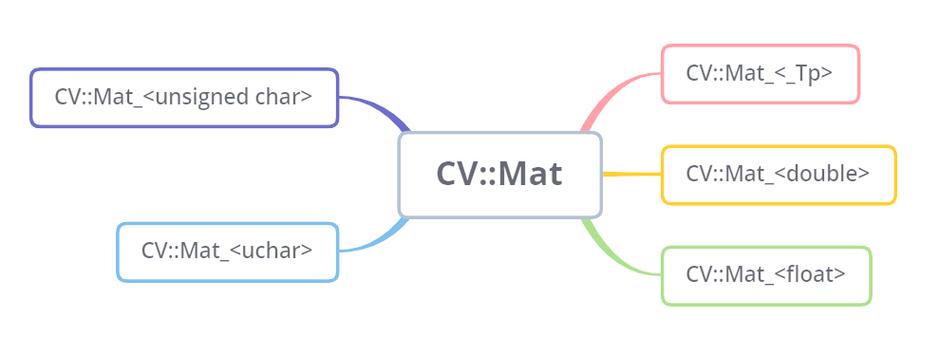 (图片来源网络,侵删)
Mat mat1 = Imgcodecs.imread("path/to/image.jpg"); Mat mat2 = mat1; // mat2 is a new header pointing to the same data as mat1 -
Shallow vs. Deep Copy:
- Shallow Copy: As shown above, using creates a shallow copy (a new header). It's fast but can lead to unexpected bugs if you modify one
Mat, thinking you're working on a copy, when you're actually modifying the original. - Deep Copy: To create a true, independent copy of both the header and the data, you must use the
.clone()or.copyTo()methods.
// Deep copy using .clone()
Mat mat3 = mat1.clone(); // mat3 has its own independent copy of the data
// Deep copy using .copyTo()
Mat mat4 = new Mat();
mat1.copyTo(mat4); // mat4 will be a copy of mat1
- Shallow Copy: As shown above, using creates a shallow copy (a new header). It's fast but can lead to unexpected bugs if you modify one
Common Mat Operations in Java
Here are the most frequent operations you'll perform.
Creating a Mat
// Create an empty 100x100 matrix of 8-bit unsigned integers (grayscale)
Mat emptyMat = new Mat(100, 100, CvType.CV_8U);
// Create a matrix filled with a specific value (e.g., white)
// Scalar is a 4-element vector (B, G, R, Alpha)
Mat whiteMat = new Mat(100, 100, CvType.CV_8UC3, new Scalar(255, 255, 255));
// Create a matrix of zeros
Mat zerosMat = Mat.zeros(100, 100, CvType.CV_8UC3);
// Create a matrix of ones
Mat onesMat = Mat.ones(100, 100, CvType.CV_8UC3);
Reading and Writing Images
import org.opencv.core.Core;
import org.opencv.imgcodecs.Imgcodecs;
import org.opencv.imgproc.Imgproc;
public class MatExample {
    public static void main(String[] args) {
        // Load the native OpenCV library
        System.loadLibrary(Core.NATIVE_LIBRARY_NAME);
        // --- READING ---
        // Read an image from a file. IMREAD_COLOR loads the image in BGR format.
        Mat sourceMat = Imgcodecs.imread("path/to/your/image.jpg", Imgcodecs.IMREAD_COLOR);
        // Check if the image was loaded successfully
        if (sourceMat.empty()) {
            System.out.println("Error: Could not open or find the image.");
            return;
        }
        System.out.println("Image loaded successfully. Size: " + sourceMat.size());
        // --- WRITING ---
        // Save a Mat to a file
        Imgcodecs.imwrite("path/to/output/image.png", sourceMat);
        // --- PROCESSING ---
        // Convert the image from BGR to Grayscale
        Mat grayMat = new Mat();
        Imgproc.cvtColor(sourceMat, grayMat, Imgproc.COLOR_BGR2GRAY);
        // Save the grayscale image
        Imgcodecs.imwrite("path/to/output/gray_image.jpg", grayMat);
    }
}
Accessing and Modifying Pixel Values
Important: OpenCV stores color images in BGR (Blue, Green, Red) order, not the more common RGB order.
// Assuming 'sourceMat' is a 3-channel BGR image
// Method 1: Using get() and put() (easier but slower)
// Get the pixel value at row 100, column 50
double[] pixelBGR = sourceMat.get(100, 50);
System.out.println("Pixel BGR values: " + Arrays.toString(pixelBGR)); // e.g., [B, G, R]
// Modify the pixel value at row 100, column 50 to be red
double[] newPixelBGR = {0, 0, 255}; // Blue=0, Green=0, Red=255
sourceMat.put(100, 50, newPixelBGR);
// Method 2: Using get() and put() for a sub-matrix (more efficient)
// Define a region of interest (ROI)
Mat roi = sourceMat.submat(new Rect(10, 10, 50, 50));
// Fill the ROI with green
double[] greenPixel = {0, 255, 0};
for (int y = 0; y < roi.rows(); y++) {
    for (int x = 0; x < roi.cols(); x++) {
        roi.put(y, x, greenPixel);
    }
}
roi.release(); // VERY IMPORTANT: release the ROI when done to avoid memory leaks!
Basic Image Processing
// Assuming 'sourceMat' is loaded
// a) Resize
Mat resizedMat = new Mat();
Imgproc.resize(sourceMat, resizedMat, new Size(300, 200)); // New width and height
// b) Gaussian Blur
Mat blurredMat = new Mat();
Imgproc.GaussianBlur(sourceMat, blurredMat, new Size(15, 15), 0);
// c) Canny Edge Detection
Mat edges = new Mat();
Imgproc.Canny(sourceMat, edges, 100, 200); // Threshold values
// d) Thresholding (for grayscale images)
Mat grayMat = new Mat();
Imgproc.cvtColor(sourceMat, grayMat, Imgproc.COLOR_BGR2GRAY);
Mat binaryMat = new Mat();
Imgproc.threshold(grayMat, binaryMat, 127, 255, Imgproc.THRESH_BINARY);
Releasing Mat Memory
This is a critical point for preventing memory leaks.
- Automatic Release: When a
Matobject goes out of scope (e.g., at the end of a method), its header is garbage collected. If it's the last header pointing to the data, the data is automatically freed. - Manual Release: If you are working with a lot of large images or inside a long-running loop, it's good practice to manually release the
Matwhen you are done with it to free up memory immediately.
public void processImage() {
    Mat img = Imgcodecs.imread("large_image.jpg");
    // ... do some processing ...
    // Manually release the Mat to free memory
    img.release();
}
Best Practices
- Always Check for
empty(): Before processing anyMat, check ifmat.empty()returnstrue. This means the image failed to load or the matrix is uninitialized, and trying to process it will cause an error. - Be Aware of BGR vs. RGB: Almost all OpenCV functions expect BGR color order. If you need to display the image using a library that expects RGB (like JavaFX or Swing), you must convert it first:
Imgproc.cvtColor(bgrMat, rgbMat, Imgproc.COLOR_BGR2RGB); - Mind Your ROI's: When you create a
submat(), you are creating a shallow copy. You must call.release()on the sub-mat when you are finished. If you don't, the mainMatmight not be able to release its memory, leading to a significant memory leak. - Use
.clone()or.copyTo()for Independence: If you need to modify a part of an image and want to keep the original intact, always create a deep copy first. - Load the Native Library: Your Java application must load the native OpenCV library (
opencv_javaXXX.dllon Windows,libopencv_javaXXX.soon Linux,libopencv_javaXXX.dylibon macOS) before you can use any OpenCV functions. This is typically done once at the start of your application:System.loadLibrary(Core.NATIVE_LIBRARY_NAME);