Of course! In deep learning, a "concat layer" (or Concatenation layer) is a fundamental operation used to combine tensors along a specific axis. In Python, this is most commonly done using the TensorFlow and PyTorch libraries.
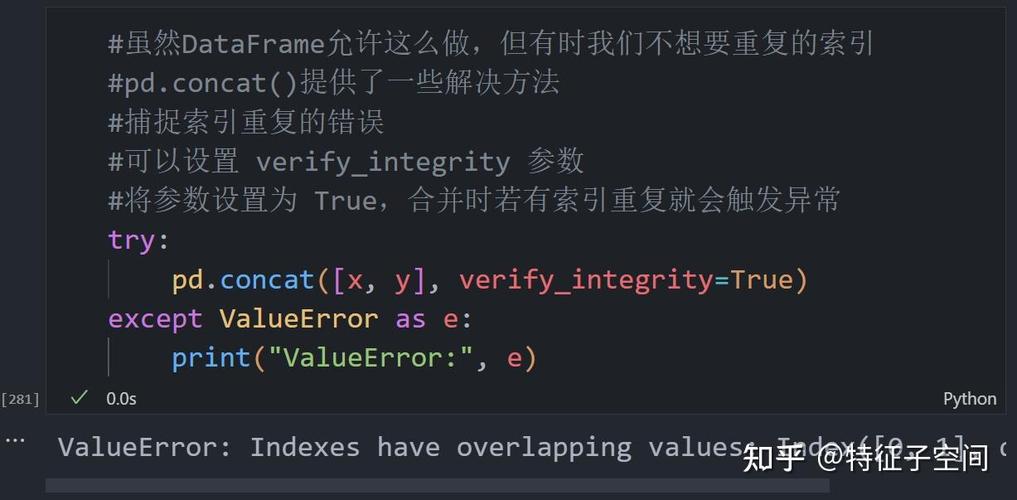
Let's break down what it is, why it's used, and how to implement it in both frameworks.
What is a Concatenation Layer?
A concatenation layer joins a sequence of tensors along an existing dimension. It's different from a Add or Multiply layer, which performs element-wise operations. Concatenation simply stitches the tensors together side-by-side.
Key Concept: The Axis
The most important parameter is the axis (or dim in PyTorch). This determines along which dimension the tensors will be joined.
axis=0(ordim=0): Stacks tensors vertically (along the rows/batch dimension).axis=1(ordim=1): Stacks tensors horizontally (along the feature dimension).axis=-1: Stacks along the last dimension, which is typically the channel dimension for feature maps in a Convolutional Neural Network (CNN).
Why is it Used? (The "Why")
Concatenation is a powerful tool, especially in Convolutional Neural Networks (CNNs). Its primary use case is in architectures that use skip connections or residual paths.
The most famous example is the U-Net architecture for image segmentation, and the core idea behind it is also used in ResNets.
The Problem: As you stack layers in a deep network, the spatial size (height and width) of the feature maps often decreases due to pooling or strided convolutions. The information about fine-grained details (like edges or textures) from the early layers can be lost.
The Solution: A concatenation layer allows you to combine the high-level, semantic information from the deeper layers with the low-level, detailed information from the earlier layers.
How it Works:
- An early layer in the network produces a feature map with a high resolution but low-level features.
- A later layer produces a feature map with a lower resolution but high-level, semantic features.
- Before feeding the data to the final layers, you upsample the deeper feature map to match the spatial size of the earlier one.
- You then concatenate these two feature maps along the channel dimension. The resulting tensor has the high-resolution details from the early layer and the rich semantic information from the deep layer.
Implementation in Python
Here’s how you can create and use a concatenation layer in TensorFlow/Keras and PyTorch.
Scenario:
Let's say we have two tensors:
tensor_a: shape(batch_size, height, width, channels)tensor_b: shape(batch_size, height, width, channels)
We want to concatenate them along the channel dimension (axis=-1 or axis=3).
import numpy as np
# Define some sample data
batch_size, height, width, channels = 1, 4, 4, 8
tensor_a_np = np.random.rand(batch_size, height, width, channels)
tensor_b_np = np.random.rand(batch_size, height, width, channels)
print(f"Shape of tensor_a: {tensor_a_np.shape}")
print(f"Shape of tensor_b: {tensor_b_np.shape}")
# Expected output:
# Shape of tensor_a: (1, 4, 4, 8)
# Shape of tensor_b: (1, 4, 4, 8)
A. TensorFlow / Keras
In Keras, you can use the Concatenate layer from the layers module.
import tensorflow as tf
# Convert numpy arrays to TensorFlow tensors
tensor_a = tf.convert_to_tensor(tensor_a_np, dtype=tf.float32)
tensor_b = tf.convert_to_tensor(tensor_b_np, dtype=tf.float32)
# 1. Functional API (Recommended)
# This is the most common way to use it in modern Keras models.
concatenated_layer = tf.keras.layers.Concatenate(axis=-1, name='concatenate_layer')
concatenated_output = concatenated_layer([tensor_a, tensor_b])
print("--- TensorFlow / Keras ---")
print(f"Shape after concatenation: {concatenated_output.shape}")
# Expected output:
# Shape after concatenation: (1, 4, 4, 16)
# The channel dimension (8 + 8) is now 16.
# 2. Sequential API (Less common for this specific operation)
# You can also add it to a Sequential model, but you need to use the functional
# style to pass multiple inputs.
# model = tf.keras.Sequential([
#     tf.keras.layers.Input(shape=(height, width, channels)),
#     # ... other layers ...
#     tf.keras.layers.Concatenate(axis=-1) # This is less intuitive
# ])
# The functional API is generally preferred for models with multiple inputs or branches.
B. PyTorch
In PyTorch, the concatenation operation is a function called torch.cat(), not a formal nn.Module layer. This is a key difference from Keras.
import torch
# Convert numpy arrays to PyTorch tensors
tensor_a_pt = torch.from_numpy(tensor_a_np).float()
tensor_b_pt = torch.from_numpy(tensor_b_np).float()
# Use torch.cat() to concatenate along a specific dimension
# The dimension is called 'dim' in PyTorch.
concatenated_output_pt = torch.cat((tensor_a_pt, tensor_b_pt), dim=-1)
print("\n--- PyTorch ---")
print(f"Shape after concatenation: {concatenated_output_pt.shape}")
# Expected output:
# Shape after concatenation: torch.Size([1, 4, 4, 16])
# The last dimension (dim=-1) is now 16.
# Note: While `torch.cat` is the standard way, you can wrap it in a Module
# if you need it to be a formal layer in a `nn.Sequential` block.
class ConcatLayer(torch.nn.Module):
    def __init__(self, dim=-1):
        super(ConcatLayer, self).__init__()
        self.dim = dim
    def forward(self, x):
        # Assuming x is a tuple or list of tensors to be concatenated
        return torch.cat(x, dim=self.dim)
# Example usage of the custom module
concat_module = ConcatLayer(dim=-1)
concatenated_output_module = concat_module((tensor_a_pt, tensor_b_pt))
print(f"Shape using custom module: {concatenated_output_module.shape}")
Key Differences & Summary
| Feature | TensorFlow / Keras | PyTorch |
|---|---|---|
| Type | A formal tf.keras.layers.Layer (Concatenate). |
A function (torch.cat), not a built-in nn.Module. |
| Usage | Instantiated as a layer object and called with inputs. | A direct function call that takes a tuple/list of tensors. |
| Axis Name | axis |
dim |
| Common Use Case | Functional API for models with skip connections (U-Net, ResNet). | Building custom nn.Modules or nn.Sequential blocks. |
| Example | concat = Concatenate(axis=-1)out = concat([a, b]) |
out = torch.cat((a, b), dim=-1) |
Code Example: A Simple U-Net-like Block
This demonstrates the power of concatenation in a practical scenario.
import tensorflow as tf
# --- A simple downsampling block ---
def down_block(x, filters):
    x = tf.keras.layers.Conv2D(filters, 3, padding='same', activation='relu')(x)
    x = tf.keras.layers.Conv2D(filters, 3, padding='same', activation='relu')(x)
    p = tf.keras.layers.MaxPooling2D()(x) # Pooling reduces spatial size
    return x, p
# --- A simple upsampling block with concatenation ---
def up_block(x, skip_connection, filters):
    # Upsample the feature map
    x = tf.keras.layers.Conv2DTranspose(filters, 3, strides=2, padding='same')(x)
    # CRITICAL: Crop the skip connection to match the upsampling size
    # (This is a simplified crop; a real implementation might use Cropping2D)
    if x.shape[1] != skip_connection.shape[1]:
        skip_connection = tf.image.resize(skip_connection, [x.shape[1], x.shape[2]])
    # Concatenate the upsampled feature map with the skip connection
    x = tf.keras.layers.Concatenate()([x, skip_connection])
    # Convolve to refine the features
    x = tf.keras.layers.Conv2D(filters, 3, padding='same', activation='relu')(x)
    x = tf.keras.layers.Conv2D(filters, 3, padding='same', activation='relu')(x)
    return x
# --- Build a mini U-Net ---
inputs = tf.keras.layers.Input(shape=(256, 256, 3))
# Encoder (Downsampling Path)
x1, p1 = down_block(inputs, 64)
x2, p2 = down_block(p1, 128)
x3, p3 = down_block(p2, 256)
# Bottleneck
bottleneck = tf.keras.layers.Conv2D(512, 3, padding='same', activation='relu')(p3)
bottleneck = tf.keras.layers.Conv2D(512, 3, padding='same', activation='relu')(bottleneck)
# Decoder (Upsampling Path)
x = up_block(bottleneck, x3, 256)
x = up_block(x, x2, 128)
x = up_block(x, x1, 64)
# Final output layer
outputs = tf.keras.layers.Conv2D(1, 1, activation='sigmoid')(x)
# Create the model
model = tf.keras.Model(inputs=inputs, outputs=outputs)
model.summary()
When you run model.summary(), you'll see the shapes changing. Notice how the output shape of the concatenate layers is the sum of the channels from the two paths being joined. This is the essence of how information is recovered and combined in architectures like U-Net.